
The 4 Best UXCam Alternatives That We Recommend

Need an alternative to UXCam for your web and mobile behavior analytics? We’ve got four excellent UXCam alternatives, including Crazy Egg, Fullstory, Smartlook, and Mouseflow.
My Personal Top 3 Alternatives to UXCam
For a quick breakdown of each UXCam alternative, I’ve broken the important bits down in this table.

 Crazy Egg
Pricing:
$29+/month, free tools available (including instant heatmaps, surveys, and website analytics)What I like: Easy setup, focused page-level session replays, 5 website heatmap types, native A/B testing, on-site surveys, AI summaries, and a generous free suite of tools.
Read more
Fullstory
Pricing: Free tier available (up to 30K sessions); paid plans via sales
What I like: Highly contextual session replay with frustration signals, web and mobile heatmaps, interactive funnels, and dynamic user segmentation.
Read more
Smartlook
Pricing: $55+/month, free plan available
What I like: Cross-platform session replay, web and mobile heatmaps, visual funnel building tied to recordings, and a unified dashboard for app and web data.
Read more
How I Chose These UXCam Alternatives
When I started my research to find the best UXCam alternatives, I focused on finding tools that deliver both the core features UXCam offers, plus the core features it should offer, but doesn’t.
Here’s the list I came up with :
- Streamlined session replay. UXCam offers a fairly strong session replay feature. Its AI bot, Tara, “watches” sessions, gleans all the important insights, and shares them with users. I looked for UXCam alternatives with strong session replay tools—with or without AI—that could rival UXCam’s.
- Heatmaps that are easy to absorb and act on. UXCam offers very strong heatmap capabilities for apps, and decently strong heatmap types for websites. I looked for tools that offer better diversity and range in website heatmaps—ideal for those of us who don’t have apps we want to track—and tools that match UXCam in the app heatmap department.
- Conversion funneling features. Building a funnel and tracking how many users do or don’t follow it is a core feature for web and app analytics tools. UXCam has conversion funnel analysis features, but they are more complex and research-oriented. I looked for funnel tracking tools that are more accessible to use.
- Built-in A/B testing and experimentation. UXCam does not offer native A/B testing tools, which is a missed opportunity in my opinion. Any good web or app analytics tool should provide a way for you to split-test various parts of your customer-facing platforms without forcing you to wrangle an integration.
- Native survey tools. Continuing in the tradition of eschewing the voice of the customer in favor of high-tech research capabilities, UXCam fails to offer a built-in way for you to ask your customers questions. Because of this, I looked for alternatives that do offer native surveys—bonus points if the surveys themselves have analytics you can track and monitor.
Ready to find out which UXCam alternatives fit all or most of these requirements?
Let’s dive in.
1. Crazy Egg
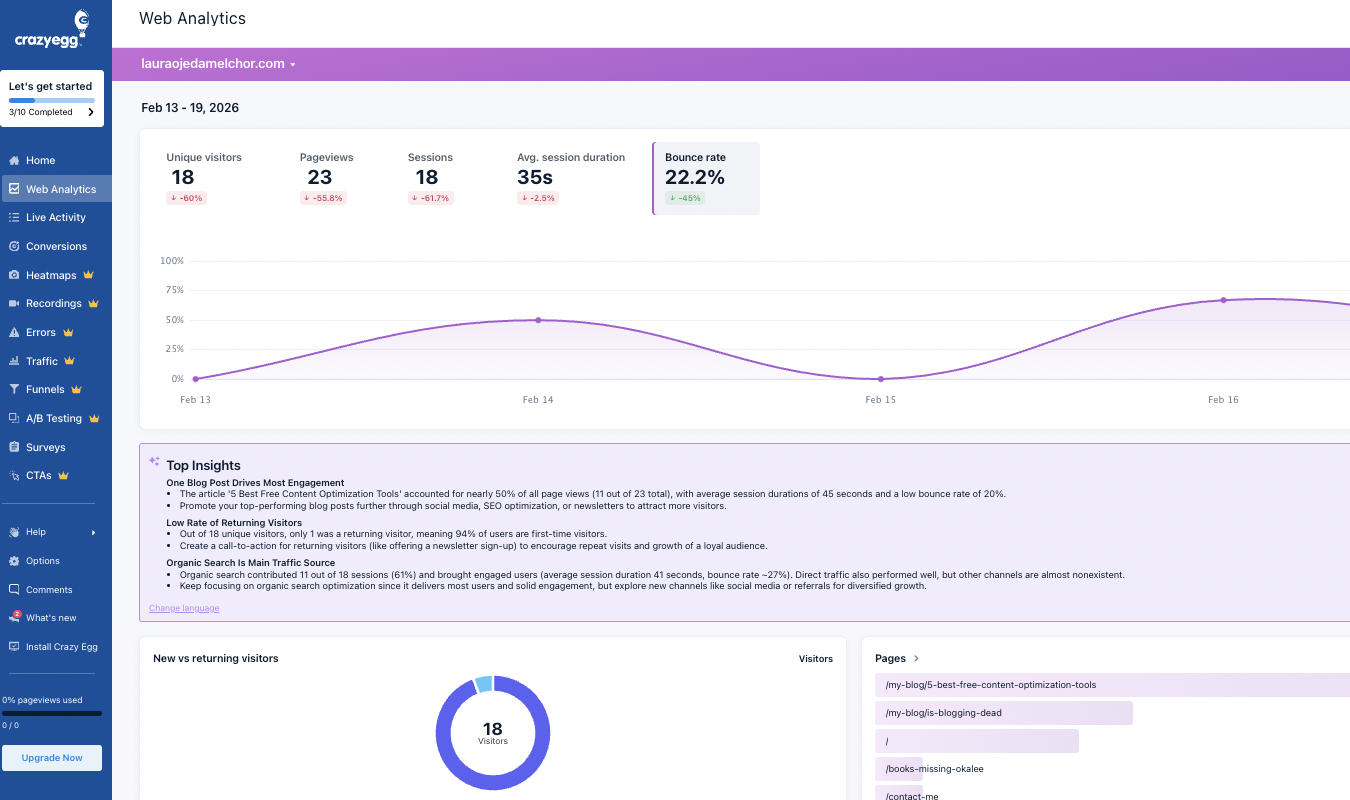
Crazy Egg is UXCam’s more user-friendly, affordable, and comprehensive relative—particularly where web analytics is concerned. While it does not offer behavior tracking for mobile apps, it does provide everything you need to analyze user behavior on your website.
What I like:
- It helps you get to the why behind user behavior more quickly. UXCam is great at capturing user behavior, it’s true. But you have to wade through an awful lot of research-oriented tools to get the data you want. Crazy Egg simplifies this process. To get started, you install the tracking script—a quick, easy step that anyone can do (I know this because I did it!). Within hours or days, Crazy Egg tracks every click, scroll, and mouse movement users perform on your page. Your dashboard on Crazy Egg will show you the data, plus relevant highlights and AI summaries to make digesting the information easier.
- Crisp, page-level insights versus a sprawling journey across apps and webpages. Crazy Egg tracks actions at the page level. Unlike UXCam, it doesn’t stay with users on a serpentine journey from an email to an ad campaign and back to the email, and then straight from there to the webpage, and then off the webpage and to the app, and then back to the email and then straight to the app…you get the (exhausting) idea. Of course, this type of tracking has its place. But for smaller businesses or organizations that just have a website—not an app—you don’t need all that expensive extra stuff. Crazy Egg delivers a focused platter of exactly what you need.
- Five types of website heatmaps. Crazy Egg offers five heatmap types: click, scroll, confetti, overlay, and list maps. Each of these heatmaps gives you a different perspective on page-level data and helps you understand what elements of the page draw visitors in, push them out, or get ignored completely. You can also track specific pages or URLs and then generate reports for those pages.
- Session recordings with AI summaries. You don’t have to watch every session recording Crazy Egg gathers. Crazy Egg will literally tell you which sessions contain key information—and summarize what that information is—and highlight the top three recordings for you to watch. As a side note, Crazy Egg’s AI tool also summarizes surveys, heatmaps, and overall insights from your website. It also offers ideas for next steps you should take, based on the data and insights.
- There’s a focus on both qualitative and quantitative user feedback. Unlike UXCam, Crazy Egg offers A/B testing and user surveys. Your team can quickly create variations of a specific page, test those variations to different segments of your audience, and ask both open-ended and poll-style questions of your web visitors. I really appreciate that Crazy Egg doesn’t lose sight of the most important folks—web visitors—in a dizzying maze of data, which is what some other behavior analytics tools do.
What could use improving:
- No app coverage. This isn’t necessarily a thing Crazy Egg needs, because I appreciate how it focuses wholeheartedly on websites and how that focus lends itself to top-quality features. Crazy Egg isn’t trying to do everything. But as a UXCam alternative, it’s worth pointing out that if you need to track user data for an app, a choice like Fullstory or Smartlook might be more in line with your needs.
Who it’s for:
- Web-focused teams that want a solution that’s affordable and easy to set up and start using. Use Crazy Egg’s free tools—Web Analytics, Instant Heatmaps, Conversion Analytics, and Surveys—for as long as you want. To get A/B Testing, Session Recordings, Conversion Funnels, and more, sign up for a paid plan at just $29 a month.
2. Fullstory
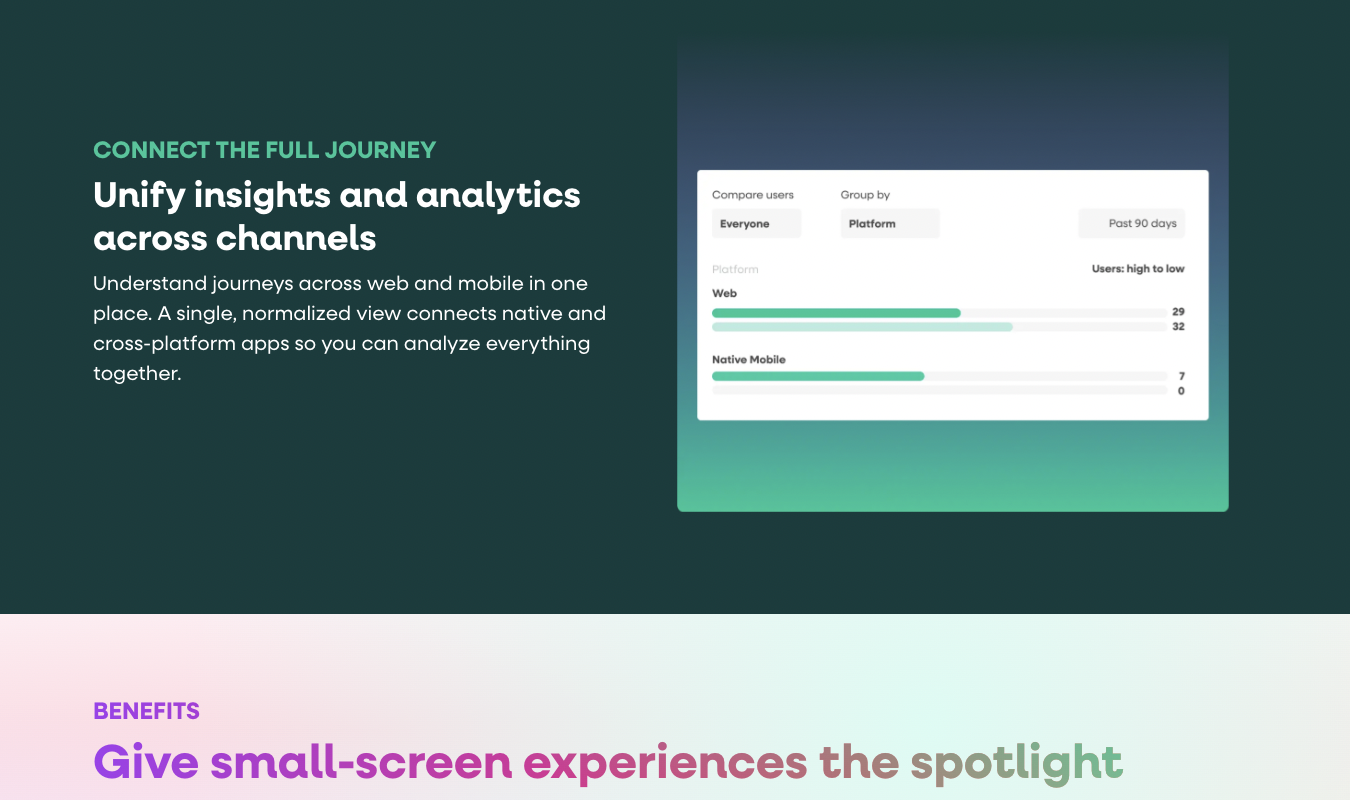
Fullstory is a behavior analytics tool that, as its brand name suggests, focuses on helping teams gather insights from every online platform imaginable. This includes websites, customer-facing mobile apps, and internal, employee-facing apps.
What I like:
- Session replay with full context for each recording. Fullstory’s approach to session recordings is more layered than UXCam’s. Instead of just, well, replaying your sessions and leaving you to pinpoint the important moments, Fullstory automatically finds those moments for you. It shows you rage clicks, dead clicks, and error clicks so that you can quickly spot user pain points without wading through a swamp of deeply boring and irrelevant moments.
- Built-in heatmaps for apps and websites. Teams get a variety of heatmaps—including click, scroll, conversion, and engagement maps. And they’re available not just for use with websites, but also for use with your native mobile app.
- Interactive funnel-building capabilities. With Fullstory, you can easily build conversion funnels to track specific series of events you hope users will take on their way to becoming a customer. Importantly for those who need both web and mobile tracking, Fullstory does track data across multiple sessions and platforms. It’s not isolated to individual visits.
- Strong user segmentation and grouping. I appreciate Fullstory’s attention to detail when it comes to user segmentation. You can build automatically updating (aka dynamic) segments based on user behavior (where folks click), session properties (device type, browser, location) and even event sequences (users who did Action A but not Action B). Your team can then use these segments across the Fullstory toolbox: funnels, heatmaps, session replays, and the like.
What could use improving:
- No native A/B testing or experimentation functionalities. Fullstory is great for analyzing A/B tests, but it doesn’t offer any native A/B testing functionalities. Sure, it integrates with external A/B testing tools, but compared with other UXCam alternatives like Crazy Egg, it’s lacking in this department. It’s worth noting that Fullstory does now offer a surveying tool, so it’s ahead of UXCam as far as seeking user feedback is concerned.
Who it’s for:
- Fullstory is best for product and UX teams that want to track complex user behaviors and journeys across web and mobile—including internal apps. Small teams can use Fullstory for free (30,000 monthly tracked sessions or fewer). For paid plans, you’ll need to get in touch with Fullstory’s sales team. See our list of 4 Fullstory alternatives for additional options.
3. Smartlook
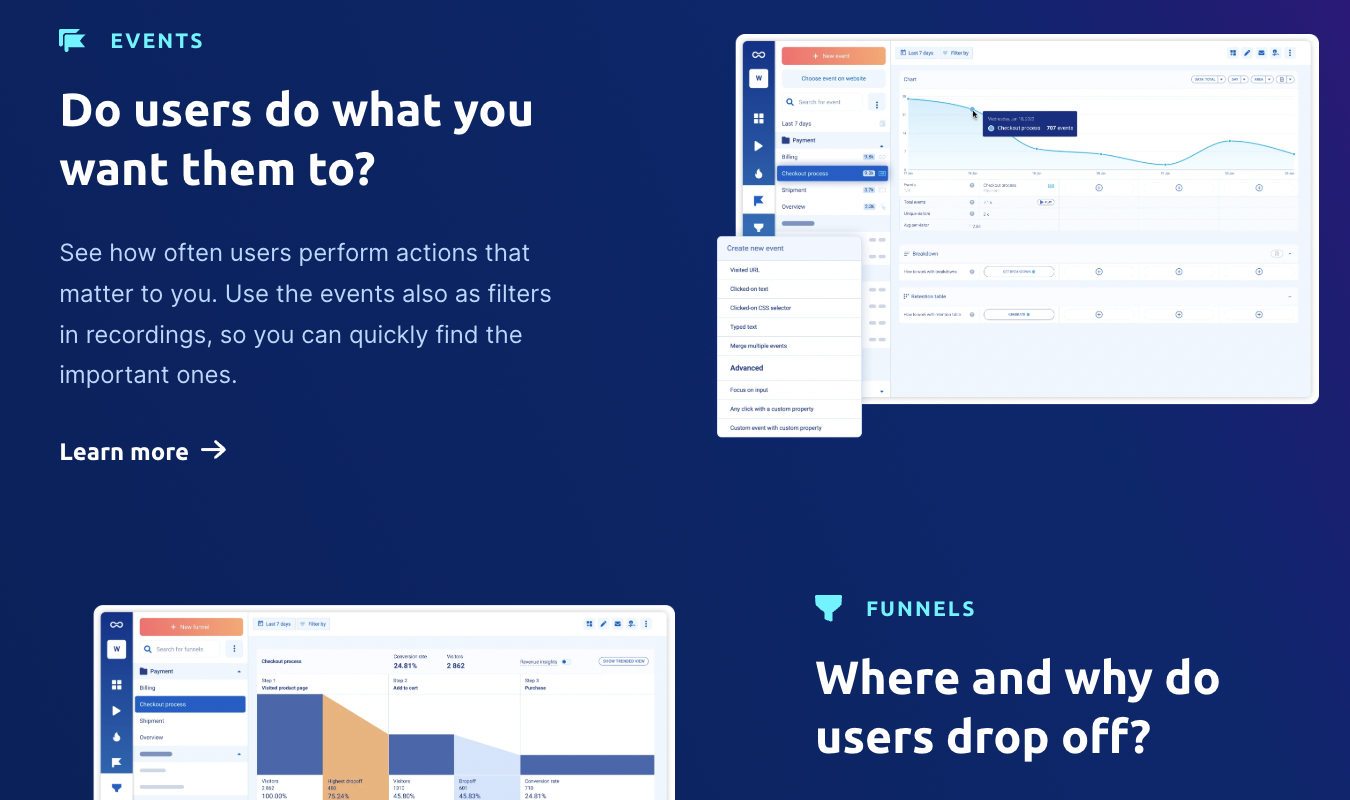
Smartlook is a behavior analytics platform that helps you understand how users interact with your website and mobile app. If you want a UXCam alternative that works with web and mobile but doesn’t go quite as deep as Fullstory—but with clearer pricing—Smartlook might just be for you.
What I like:
- Powerful session replay with strong filtering. Smartlook records every single (!) session on your site or app and lets you filter recordings by the exact events you care about. That way, you can watch only the exact interactions you care about instead of sitting through dozens of irrelevant clips.
- Web and mobile heatmaps for immediate visualization of user behavior. Smartlook quickly creates click, scroll, and move heatmaps based on what users do in both your app and web interfaces. The neat thing about Smartlook is that you can use pre-existing data to create heatmaps. You don’t have to wait for Smartlook to collect new data.
- Funnels are paired with session recordings. This is something I really love about Smartlook: you can build funnels visually, using events as building blocks. Once those funnels are live and being tracked, you can go straight and then, once the funnels are live and being tracked, you can click on a specific funnel stage and leap straight into a relevant session recording. So, for instance, if someone leaves the conversion funnel at a key moment, you can click straight to a session recording that shows you the context.
- Unified dashboard for web and mobile. You don’t have to constantly switch between screens or dashboards to see information on different platforms—like your website and your mobile app. Smartlook, smartly, combines the data on one dashboard. This gives you a complete picture of what’s going on throughout each customer-facing platform.
What could use improving:
- No A/B testing or surveys. Smartlook has no built-in A/B testing or surveys, which makes me want to screech in frustration. Why is it that some of these companies focus so hard on offering cross-platform functionalities but then completely forget about helping their customers connect with their web and app visitors?
Who it’s for:
- Product, user experience, and growth teams that want unified behavior insights across web and mobile. Smartlook offers a free plan with 3,000 monthly sessions and a set of basic tools. Paid plans begin at $55 a month. Want more options? Here are our top 4 Smartlook alternatives for you to research.
4. Mouseflow
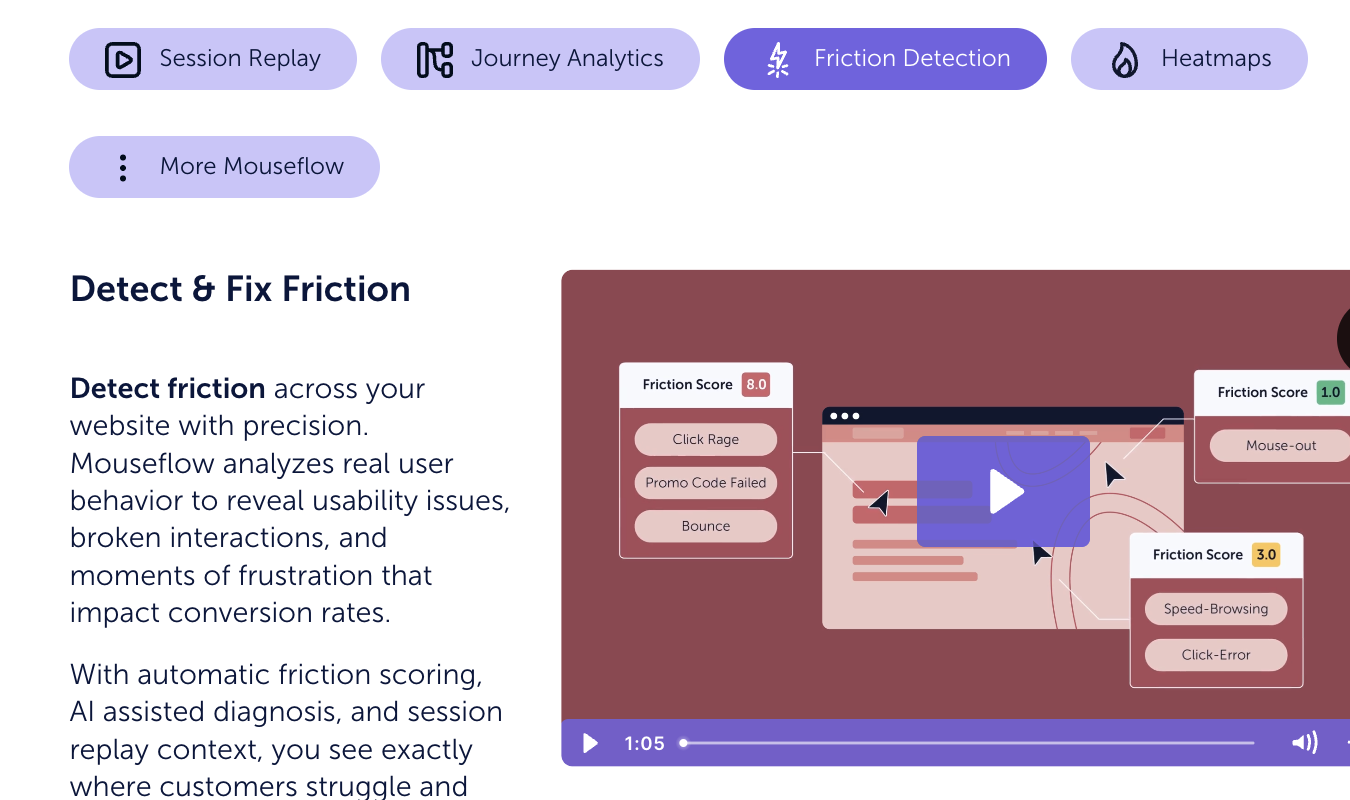
Mouseflow is a website behavior analytics platform that helps teams understand how visitors click, scroll, fill out forms, and move through paths that lead to conversion.
What I like:
- Frustration detection is a core focus. We all want to know when, where, and why our users are frustrated when they’re on our websites. Well, Mouseflow makes frustration detection a major priority. It assigns a Friction Score to sessions and pages based on behaviors that often mean users are struggling. Like rage clicks, interactions with unresponsive page elements, and erratic scrolling. You don’t have to manually hunt for problematic recordings, in other words—Mouseflow is determined to find them first.
- Multitude of heatmap types. Mouseflow offers 7 types of heatmaps: Click, Scroll, Attention, Movement, Geographical, Live, and Friction. This is an astounding number of maps, and together, they give you a very full, page-level picture of user behavior.
- Funnels are tied to session recordings. Like Smartlook, Mouseflow ties funnels to session recordings. At any point in a funnel, you can click on a specific friction point and see session recordings that give you a more complete picture of what’s going wrong.
- Form analytics and feedback. Mouseflow joins Crazy Egg in being one of the only tools on this list to offer—drumroll please—a way for you to survey your users! Even better, Mouseflow gives you analytics for your surveys and forms so that you can see what’s tripping people up in their journey to give you the feedback you crave.
What could use improving:
- No A/B testing capabilities. Surprisingly—to me, anyway—Mouseflow does not offer users a way to split test variations of their webpages. Instead, you have to wrangle an integration with something like Optimizely or AB Tasty to get that quantitative data.
- No cross-platform analytics. Mouseflow doesn’t offer analytics for mobile apps, so if you need a tool with that functionality, Fullstory or Smartlook might be a better choice.
Who it’s for:
What’s the Best UXCam Alternative?
The best UXCam alternative overall is Crazy Egg if your focus is on tracking behavior data on websites and you want insights, A/B testing, and surveys in one platform.
Fullstory is ideal for product and UX teams that want advanced everything: segmentation, funnel exploration, and cross-platform functionality.
For a balanced, cross-platform tool that feels a little more approachable, Smartlook is your tool.
And Mouseflow stands out for its dedication to spotting friction—and its form-field analytics capabilities.
For more exploration, see how Crazy Egg and Mouseflow compare or learn more about how to track user behavior on a website using CRO tools.

