
How to Diagnose, Fix & Test For More Conversions
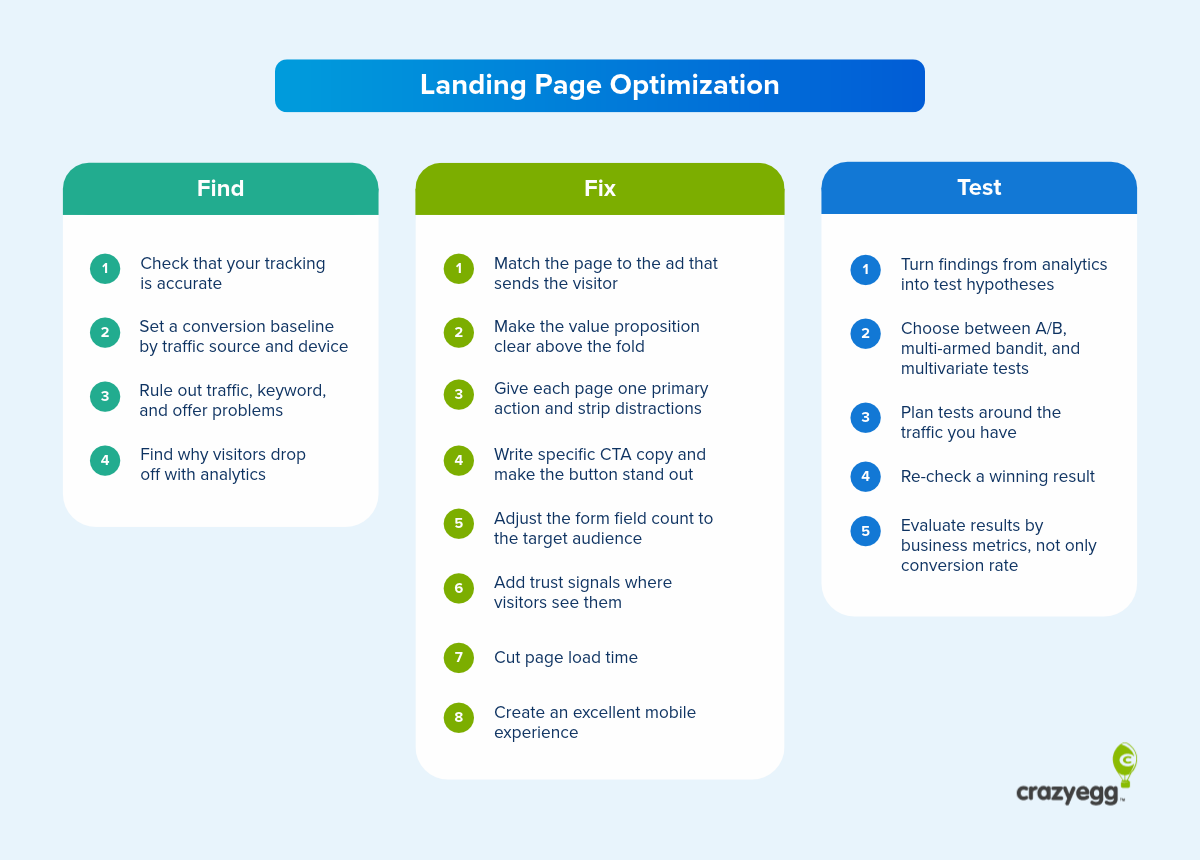

Landing page optimization focuses on improving the visitor experience of the page they reach after clicking an ad or search result, so more of them convert. For example, buy your product, sign up for the newsletter, or book a demo.
Landing page optimization works in a loop: find where the page loses visitors, fix what the data points to, then test the fix before you roll it out.
In this guide, I’ll walk through each phase.
You’ll learn how to diagnose a page that isn’t converting, eight best practices that will help you design a high-converting landing page, and how to test if the changes worked.
Diagnose Why Your Landing Page Isn’t Performing
Before you change anything on your landing page, check if your data is accurate, set conversion targets, ensure your offer and strategy are still solid, and use behavior analytics to see why visitors don’t convert.
Check that your tracking is accurate
Start landing page optimization by making sure your analytics aren’t over- or under-reporting conversions.
Carl Weische, founder and CEO of Accelerated, an ecommerce growth agency that has worked with more than 400 DTC brands since 2019, checks this first: “Before you change anything, make sure what you’re reading is true, because in most accounts I open it’s not.”
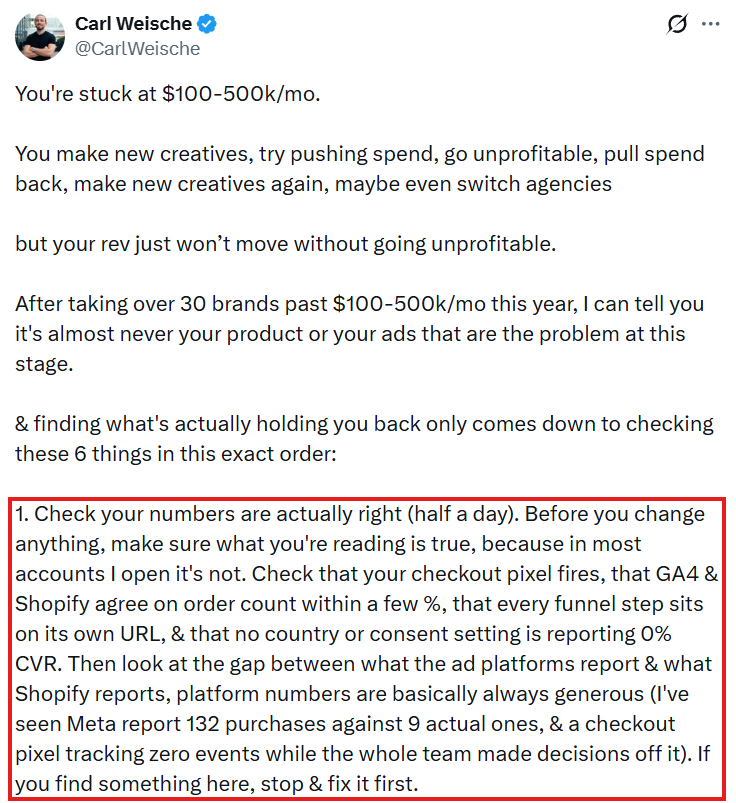
Specifically, run these:
Set a conversion baseline by traffic source and device
Splitting the conversion rate by traffic source and device lets you set baselines and diagnose issues accurately.
The gaps between channels are noticeable. In Unbounce’s 2024 SaaS benchmark, median landing page conversion rates were 16.9% for email traffic, 4.1% for paid search, 2.9% for paid social, and 0.3% for display.
If you measure only the average conversion rate across all channels, a traffic spike from one channel will change the figure even if nothing else changes.
Devices affect the average, too. Across all industries in Unbounce’s 2024 report, desktop converted 8% better than mobile. In SaaS, the two were on par (6.4% on mobile, 6.2% on desktop), so check your own split rather than assume one.
Rule out traffic, keyword, and offer problems
A landing page’s conversion rate depends on external factors, like your offer or time.
Rule out these outside causes first:
If none of these applies, look for problems on the page.
Find why visitors drop off with analytics
Use web and user behavior analytics to find why landing page visitors fail to convert:
- Web analytics: Check the bounce rate and what visitors do just after landing (e.g., which pages they visit).
- On-page events: Track form starts and form submits in GA4. Few starts point to issues above it. Many starts and few submits point to the form.
- Form analytics: Use a dedicated form analytics tool to see which form fields cause friction.
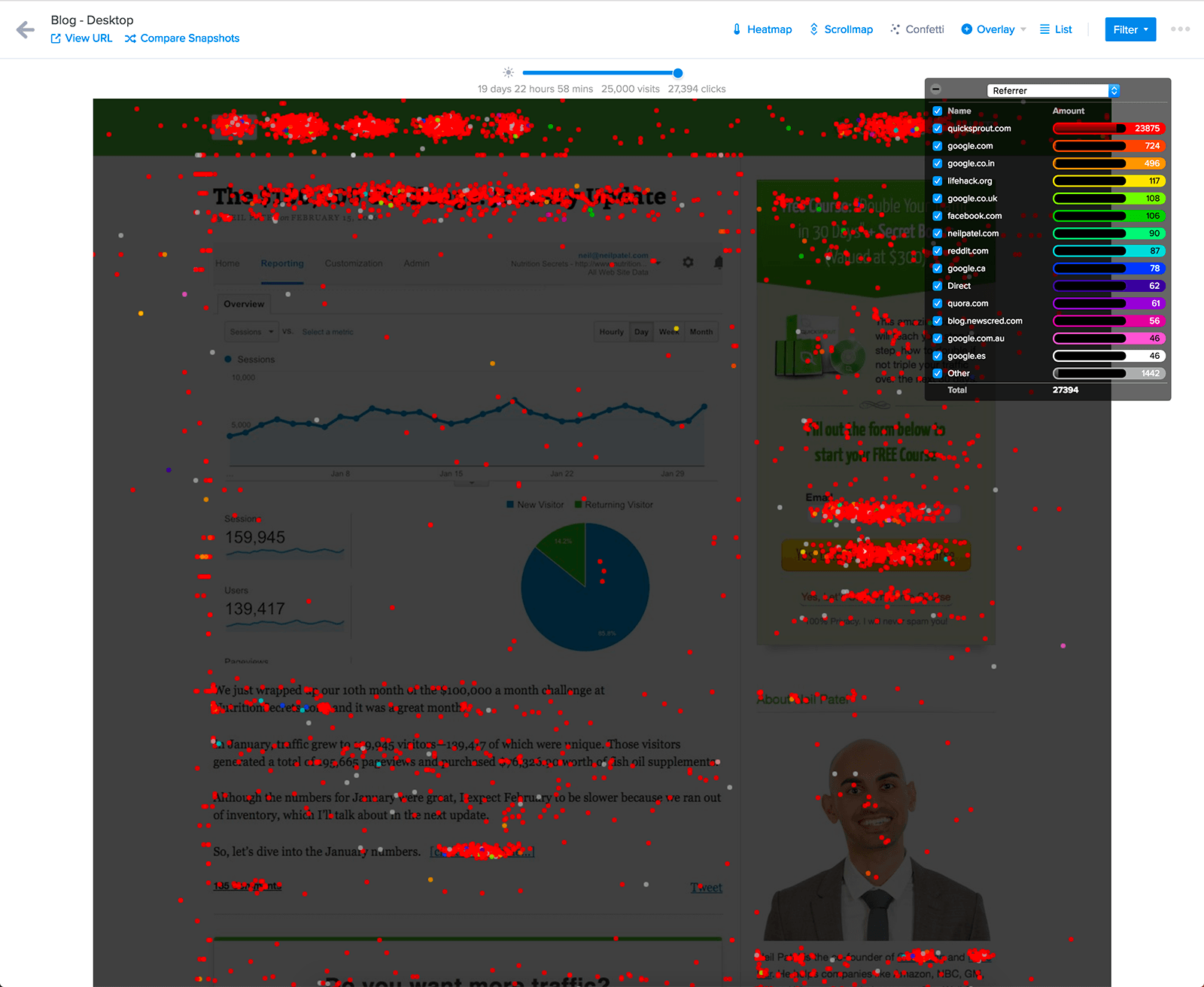
- Scroll maps: See how far down the page visitors get. If your form or key information sits below where most people stop, they won’t see it.
- Click maps: Check which elements get attention and which get ignored. Some click map types, like Crazy Egg’s Confetti Maps, let you compare how different segments interact with the page in the same view.
- Session recordings: Look for confusion or frustration signals, such as a visitor scrolling past the offer, hesitating over a form field, or clicking unclickable page elements.
Fix What the Data Shows: 8 Landing Page Optimization Best Practices
The best practices below come down to four principles: deliver what the ad or search promised, make the offer and the next step clear, remove friction and distractions, and build trust. Then make sure the page loads fast and works on any device.
1. Match the page to the ad that sends the visitor
Visitors click an ad because of a specific promise, so the page’s headline, offer, and CTA must align with that promise. Otherwise, many will assume they’ve landed in the wrong place and bounce.
“The connection between your ad and landing page is the bridge between a potential customer and a purchase,” explain Google’s support docs. “The stronger they’re connected (the more directly relevant they are), the better your chances of a conversion.”
To strengthen the connection between ads and landing pages:
2. Make the value proposition clear above the fold
Tell visitors what you offer, who it’s for, why they should choose you over the alternatives, and show the CTA on the first screen of the landing page. So they can see it without scrolling.
Here’s how monday CRM’s landing page does it:
- The headline names the product: “The AI-powered CRM your team will love.”
- Industry tiles (“What would you like to manage with your CRM?”) let visitors pick their own use case (and enable onboarding personalization).
- The subheadline gives a reason to switch: “Sell faster with the most intuitive CRM – powered by AI and code-free automations.”
- The “Get Started” button prompts the required action.
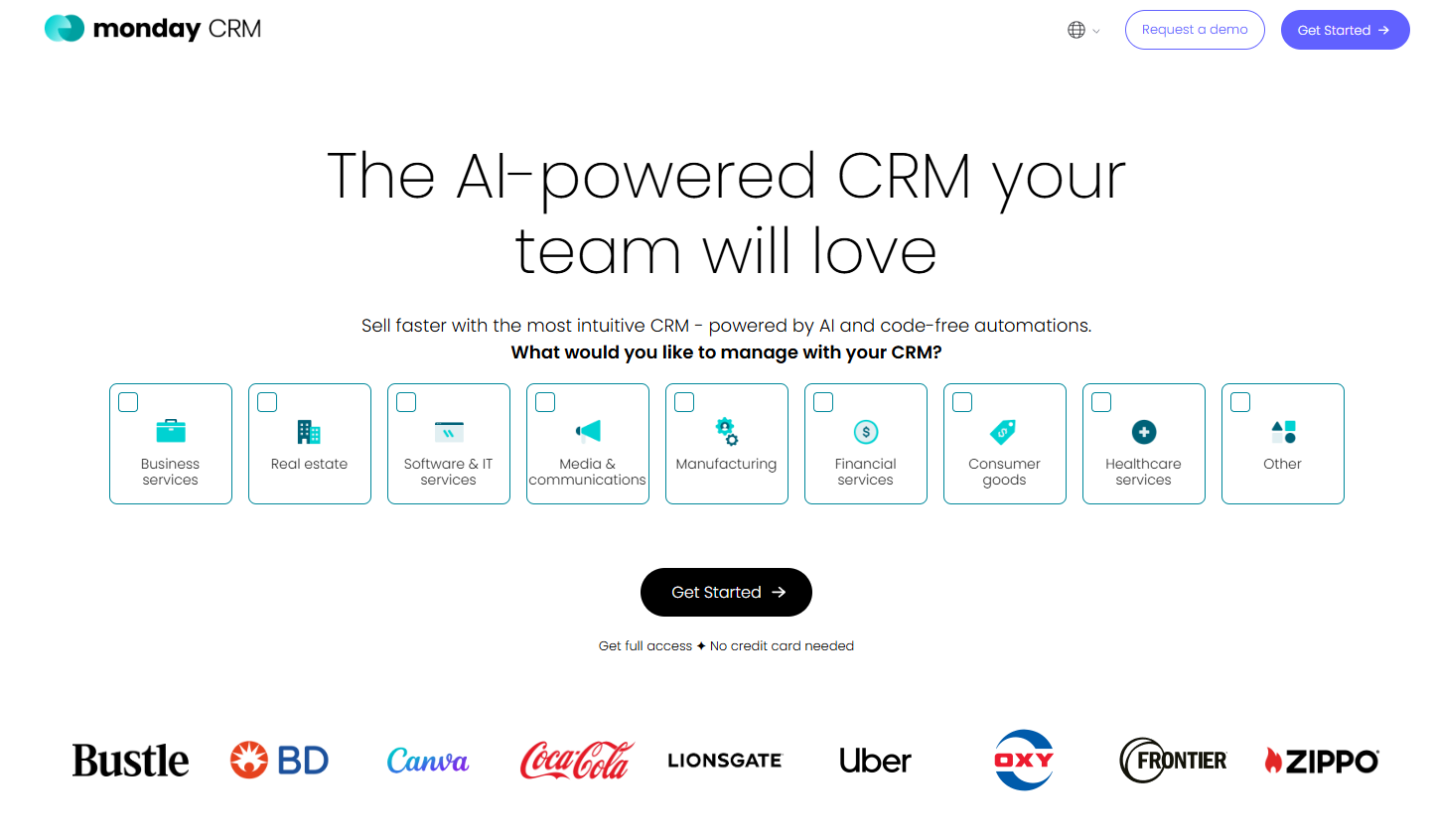
To see whether the message lands with new visitors, run a five-second test: show participants the page for five seconds, then ask what it offers and who it’s for. Speero, a research and experimentation agency, recommends at least 50 participants per device.
3. Give each page one primary action and strip distractions
Remove unnecessary buttons, links, or banners from the landing page, so they don’t compete with the CTA.
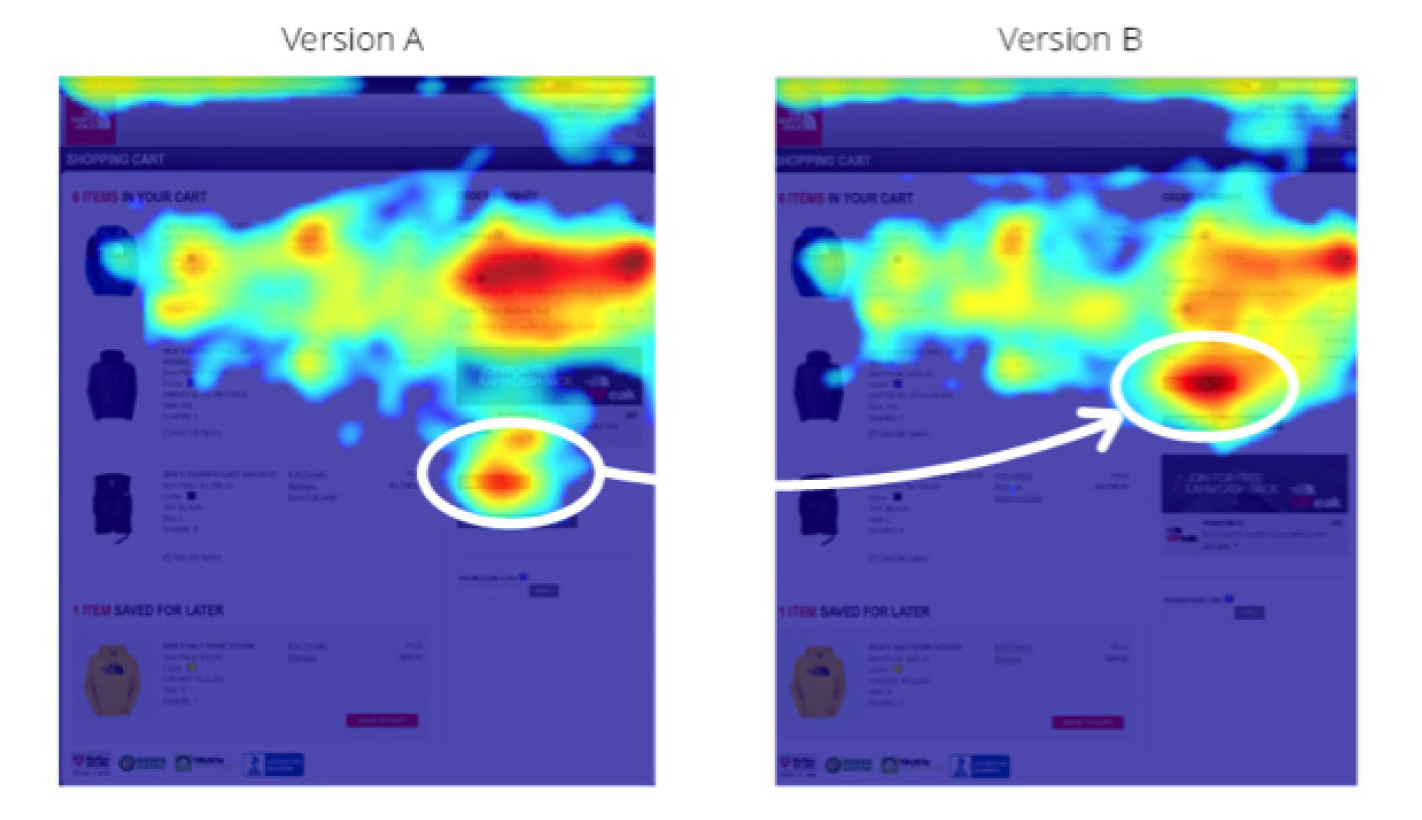
One of our customers has seen this work in practice. The North Face’s heatmap showed cart page visitors clicking a rewards banner and skipping the checkout button. Moving the button above the banner increased conversions by 12%.
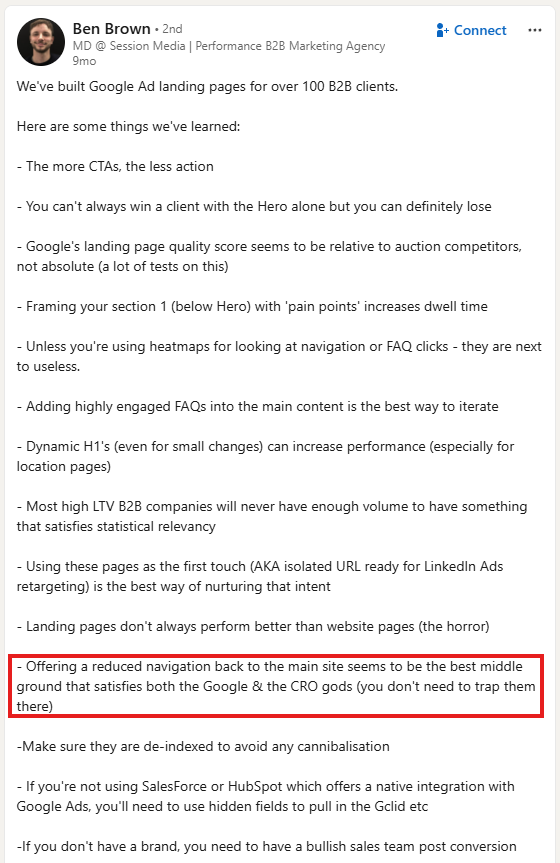
It doesn’t necessarily mean you must strip the page of all navigation to “trap” visitors there, as Ben Brown puts it in his 2026 LinkedIn post. Ben, whose agency has built Google Ads landing pages for more than 100 B2B clients, believes reduced navigation linking back to the main site “seems to be the best middle ground.”
4. Write specific CTA copy and make the button stand out
Visitors should know what happens when they click the CTA button, and they should be able to find it at a glance.
To get both right:
5. Adjust the form field count to the target audience
How many fields a form can carry depends on how ready visitors are to act. High-intent visitors will often fill in more, but keep it short for visitors who are still evaluating.
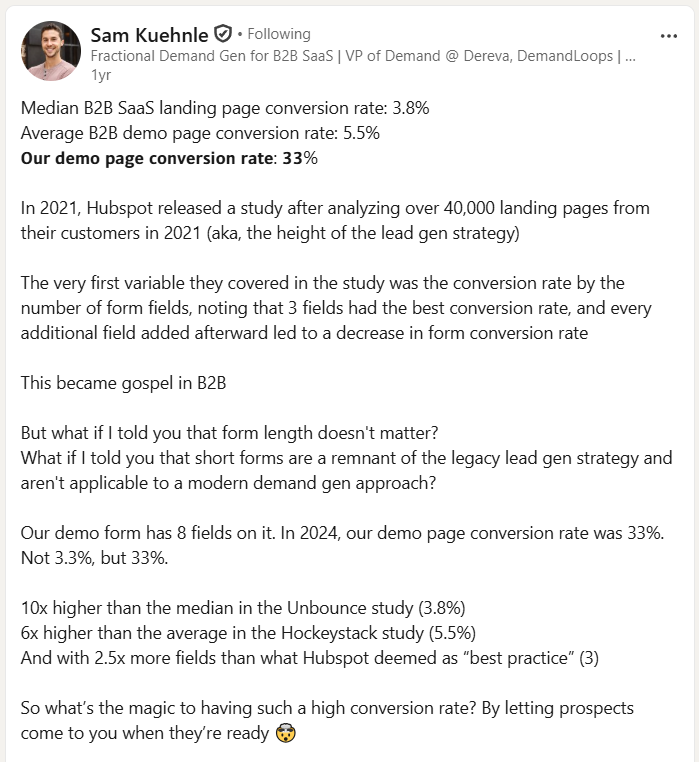
Sam Kuehnle, then VP of Marketing at Loxo, says his company’s demo form has eight fields, yet the demo page converted at 33% in 2024. He credits “letting prospects come to you when they’re ready.”
On pages for visitors earlier in the buying process, reducing the field count can increase conversions. In a 2024 case study, Bacula Systems removed two qualifying questions from its software trial form. Conversions rose from 2.4% to 3.44%, and the share of sales-ready leads stayed about the same.
Audit each field on your form with these questions:
- Does sales use it to qualify or route the lead?
- Will visitors answer it honestly?
- Can you ask it later, on a call or in a follow-up step?
- If you keep it, does the form explain why you need it?
6. Add trust signals where visitors see them
Social proof shows visitors that others already trust you, which can translate into higher conversions.
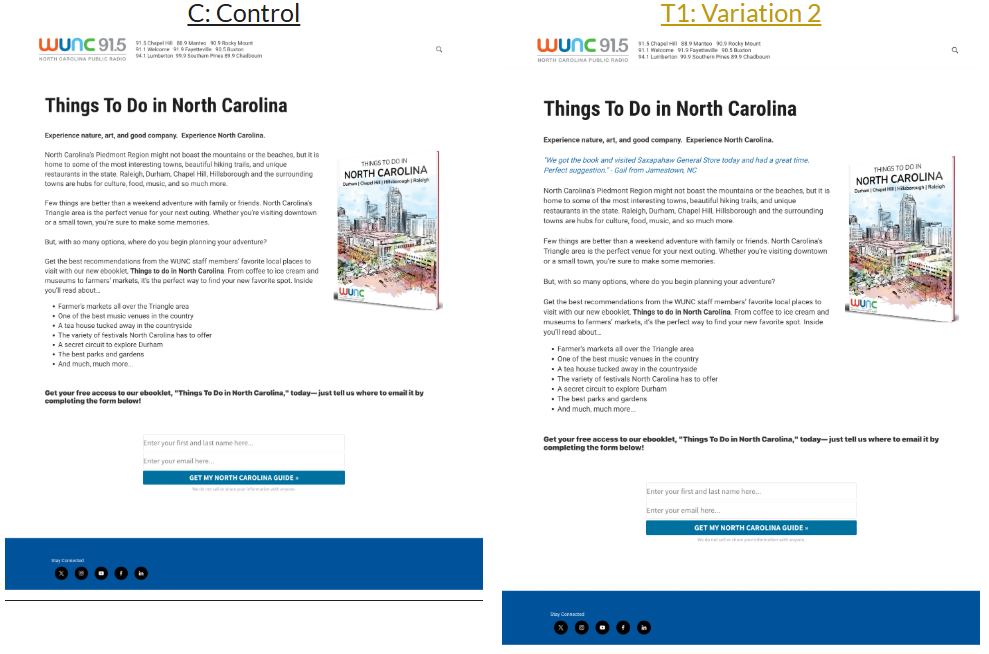
A quick example: When public radio station WUNC added a testimonial to its email sign-up page in November 2023, sign-ups rose from 44.3% to 51.1%.
Common types of social proof on landing pages include:
- Ratings and review counts (e.g., “20,000+ 5-Star Reviews”)
- Customer logos (e.g., the Canva, Coca-Cola, and Uber logos under the sign-up button on monday CRM’s landing page)
- Customer counts (e.g., “2 million teams trust ClickUp”)
- Review site ratings (e.g., “Based on 1,000+ G2 Crowd reviews”)
- Testimonials from named customers
- Team profiles that establish your credibility
Put the trust signals where visitors can see them, for example, in the hero, and where they decide to act, for example, next to the CTA or form.
7. Cut page load time
A slow landing page puts visitors off, so reducing the loading time can increase conversions.
In Portent’s 2022 analysis of 14 B2B lead generation sites, sites that loaded in 1 second had a conversion rate 3x higher than pages that loaded in 5 seconds.
Google’s Core Web Vitals guidelines set the targets for the largest element on the page (Largest Contentful Paint, or LCP) at 2.5 seconds, and page responsiveness at 200 milliseconds (Interaction to Next Paint, or INP) across 75% of visits.
According to the Web Almanac 2025, the LCP element is an image on most pages, so optimizing images is a good start:
- Compress the hero image and switch its format. WebP and AVIF files are smaller than JPG or PNG.
- Lazy-load the images below the fold (but never the hero image!), so they don’t increase the loading times.
- Host the hero image on your own domain or add a preconnect hint for the domain it’s served from, so establishing a connection with a different domain doesn’t slow the download.
- Tell the browser the hero image comes first. Add fetchpriority=”high” as browsers don’t usually treat images as high priority on their own.
You can also increase page speed by delaying non-essential scripts and ensuring the server uses file compression.
8. Create an excellent mobile experience
Don’t assume a page that converts on desktop works on mobile.
As a bare minimum, your landing page mobile version should:
- Have buttons and links that are easy to tap. Apple’s Human Interface Guidelines set the default control size on iPhone at 44×44 points, and the W3C’s accessibility guidelines (WCAG 2.2) set a minimum of 24×24 pixels.
- Show the right keyboard. Set each form field’s input type, such as email or tel, so phones display a keyboard suited to the data, like one with the @ key for email addresses.
- Keep key content visible. Don’t hide crucial information like reviews or testimonials in carousels or drop-downs, as they get low engagement rates on mobile.
Test Your Fixes Before You Roll Them Out
Following CRO best practices doesn’t always increase conversions. A fix might work for one page but not for others. Or increase conversions while tanking other key metrics, like revenue.
So, to be certain changes work on your pages, test them.
Turn findings from analytics into test hypotheses
Start each test with a hypothesis that connects the evidence, the change, and the result you expect.
For example: “Because the scroll map shows most mobile visitors leave before seeing the form [evidence], moving the form above the testimonials [change] will increase form completions [result] on mobile [segment].”
Don’t stop at the first hypothesis. Test it and use the findings to inform the next round.
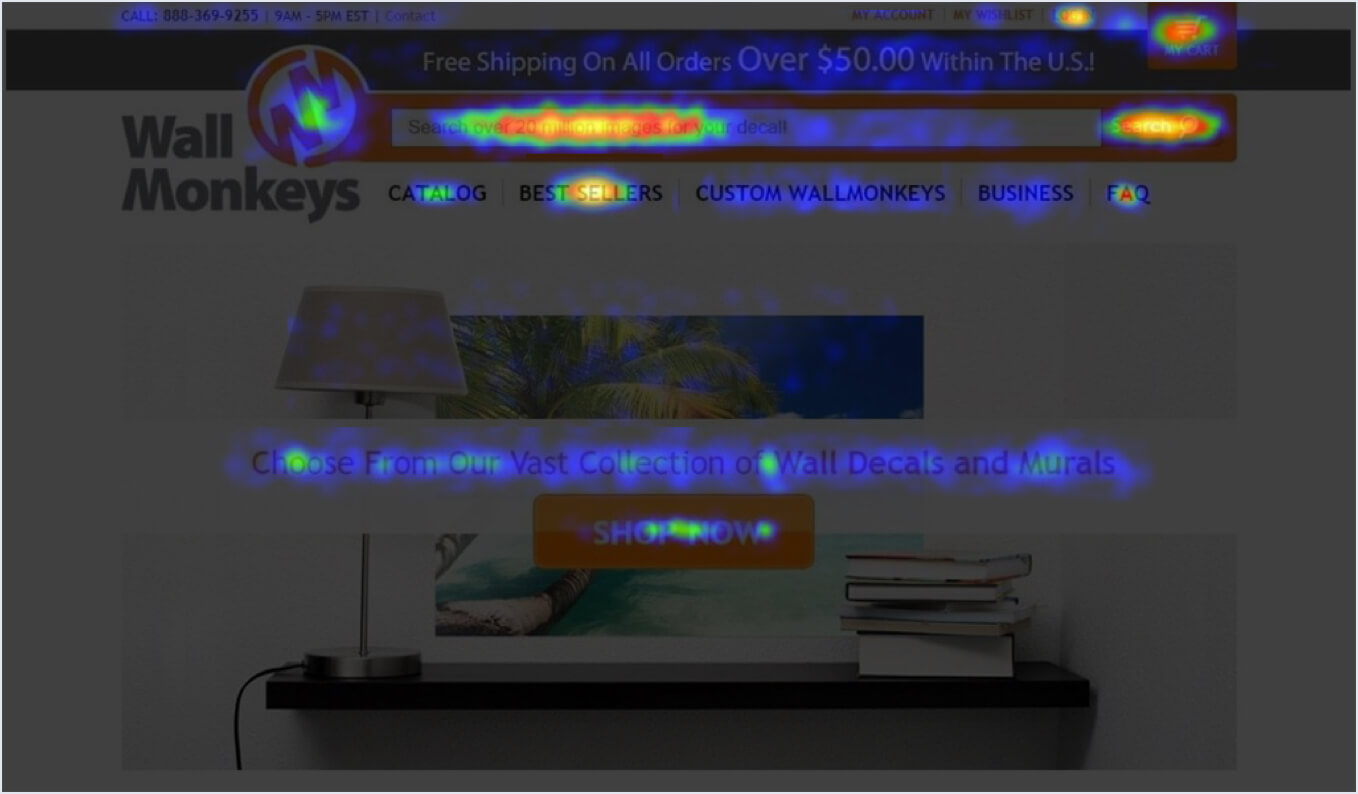
WallMonkeys, one of Crazy Egg’s customers, used this approach successfully. A heatmap-informed hero image change lifted the homepage conversion rate by 27%. The next test, replacing a rarely clicked slider with a search bar, lifted it by another 550%.
Choose between A/B, multi-armed bandit, and multivariate tests
The choice between A/B tests, multi-armed bandit (MAB), and multivariate tests depends on what you’re testing and how much traffic you get:
- A/B test: Splits traffic between the original page and one or more variations, at the same URL or at separate URLs (a split URL test). Use it to test one change at a time, such as a new headline or a full redesign.
- Multi-armed bandit: Starts like an A/B test, but sends more traffic to the winning variation as results come in. Use it during short campaigns (e.g., seasonal sale) when you don’t want to lose conversions to a weaker variation.
- Multivariate test: Tests changes to several elements at once and shows which combination works best, in one experiment instead of a series of A/B tests. But it needs far more traffic to reach statistical significance.
Plan tests around the traffic you have
Traffic volume determines what you can test and what metrics to use.
Detecting a lift from a 5% to a 5.5% conversion rate takes about 30k visitors per variation.
That’s a lot.
If your page can’t reach the sample size you need in a few weeks, you compromise by:
- Testing bigger changes. A new offer or page structure produces a larger difference than a new button color, and a larger difference needs fewer visitors to detect.
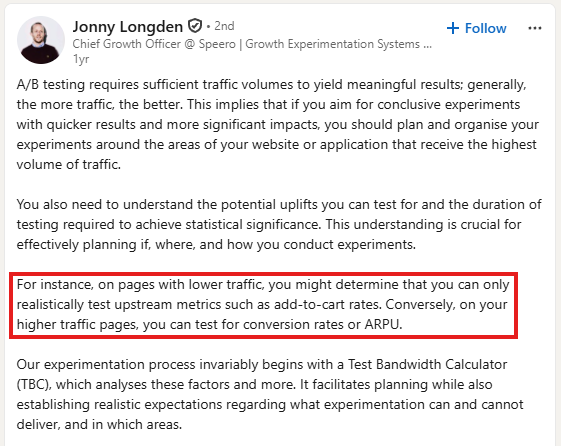
- Tracking an earlier step. On lower-traffic pages, Jonny Longden, Chief Growth Officer at Speero, suggests testing “upstream metrics” instead. On a landing page, that could be CTA clicks or form starts. These are more likely to happen, and a higher baseline rate needs fewer visitors.
- Counting only the visitors who see the change. If you’re testing the form, include only visitors who scroll down to it. When 100 of 1,000 visitors reach the form, and the new version gets 55 sign-ups instead of 50, that’s a 5-point gap among those 100 but only a half-point gap across all 1,000. Smaller gaps take more visitors to confirm.
Re-check a winning result
A/B test results aren’t always conclusive and don’t always correlate with meaningful improvements.
For example, test participants might not be a representative customer base sample, or improvements from individual tests might cannibalize each other.
The only way to be certain is to track the page performance after its rollout (in a holdout test).
However, there are a few checks to make before the changes go live:
- Did the test reach the planned sample size?
- Did it run for a full business cycle?
- Did both versions record conversions correctly?
- Does the lift hold across devices and traffic sources?
- Did anything else change during the test? (E.g., a new campaign or an ad budget increase)
- Is the lift worth shipping? (Statistical significance isn’t business significance; rollout costs may outweigh gains)
Evaluate results by business metrics, not only conversion rate
A variant that converts more visitors can still earn less. And the other way round: conversions can drop, but the lead quality or order value increase outweigh the drop. Before you launch a test, pick the metric that decides the winner and the guardrail metrics that mustn’t drop.
Which metrics to track depends on what the page sells.
For ecommerce pages, pick the winner by revenue per visitor and use average order value as a guardrail. For lead generation pages, use qualified leads as your primary metric and watch cost per qualified lead.
Optimize Your Landing Pages with Crazy Egg
Crazy Egg covers each phase of the landing page optimization loop. It lets you:
- Diagnose issues and build hypotheses to test with web and conversion analytics, heatmaps, session recordings, and Page Speed.
- Engage visitors and drive conversions with pop-up CTAs and build test variants in the no-code visual editor.
- Run statistically significant A/B and multi-armed bandit tests.
Best part? Its agentic AI feature, Tasks, runs the whole loop from a single conversion goal. It analyzes visitor behavior, delivers a report with an executive summary and a prioritized list of recommendations, and designs page variants with the changes.
To see how this would work on your landing pages, talk to Crazy Egg Sales!
Landing Page Optimization FAQs
What is landing page optimization?
Landing page optimization is the process of improving a single web page so more visitors who land on it take a specific action, such as buying a product or service, signing up, or downloading a lead magnet, like an ebook. It’s a part of the broader process of conversion rate optimization.
Landing page optimization looks at everything on the page that affects whether it converts visitors: the landing page design, the message, the form, the trust signals, the load time, and more.
What is a good landing page conversion rate?
A good landing page conversion rate depends on your industry, traffic source, and what counts as a conversion. According to Unbounce 2024 data, the median SaaS landing page converted at 3.8%, and the top quarter of pages converted at 11.6% or more.
Are landing pages still worth using?
Having dedicated landing pages lets you match one page to one ad and one offer, so visitors find exactly what they clicked on. Each campaign also gets its own URL, which makes it easier to measure, test, and retarget that campaign’s visitors separately.
But creating and maintaining dedicated landing pages takes resources, and a broad campaign spanning many search intents would need a separate page for each. Google Ads can route each click to the most relevant existing page, so a strong category or product page can be enough for transactional or branded queries.
Research and informational intents usually still convert better on dedicated pages.
Can AI help you build or optimize a landing page?
AI can help you build or optimize a landing page by speeding up copy drafting or applying landing page design best practices. It can also help you analyze page performance or user behavior data to find areas for improvement.
However, never accept AI recommendations without checking their logic and testing them like any other hypothesis

