
Crazy Egg vs. Mouseflow: Each Tool’s True Strengths

Stuck between Crazy Egg and Mouseflow for your next website optimization tool?
Crazy Egg is the better fit if you want heatmaps, session recordings, surveys, error tracking, web analytics, and native A/B testing in one subscription, so you can spot a problem and test the fix without switching tools.
Mouseflow is the better choice if you want a deeper read on on-page friction, with a quantitative Friction Score, native form analytics, user journey mapping, and live session viewing — and you already run a separate experimentation platform.
Crazy Egg vs. Mouseflow: A Quick Snapshot
Feature Breakdown: Crazy Egg vs. Mouseflow
1. Heatmaps
Both tools offer click and scroll heatmaps that you can filter by segment or compare side by side. Crazy Egg offers better segmentation capabilities in Confetti maps, while Mouseflow offers more heatmap types.
Crazy Egg
Crazy Egg has five map types:
- Click Maps: Visualizes click density (hot/cold coloring).
- Scroll Maps: Shows how far visitors scroll before they disengage.
- Confetti Maps: Presents every individual click as a colored dot, segmentable by 17+ metrics, like traffic source or device, plus custom user variables. Priceless for cross-segment analysis.
- Overlay Maps: Displays click counts and percentages on each clickable page element. Useful for isolating per-CTA performance and tracking page exits.
- List Maps: Gives a numerical breakdown of clicks per element. Useful if you want to track engagement with dynamic elements, like sticky buttons or menus, or export the data to CSV.
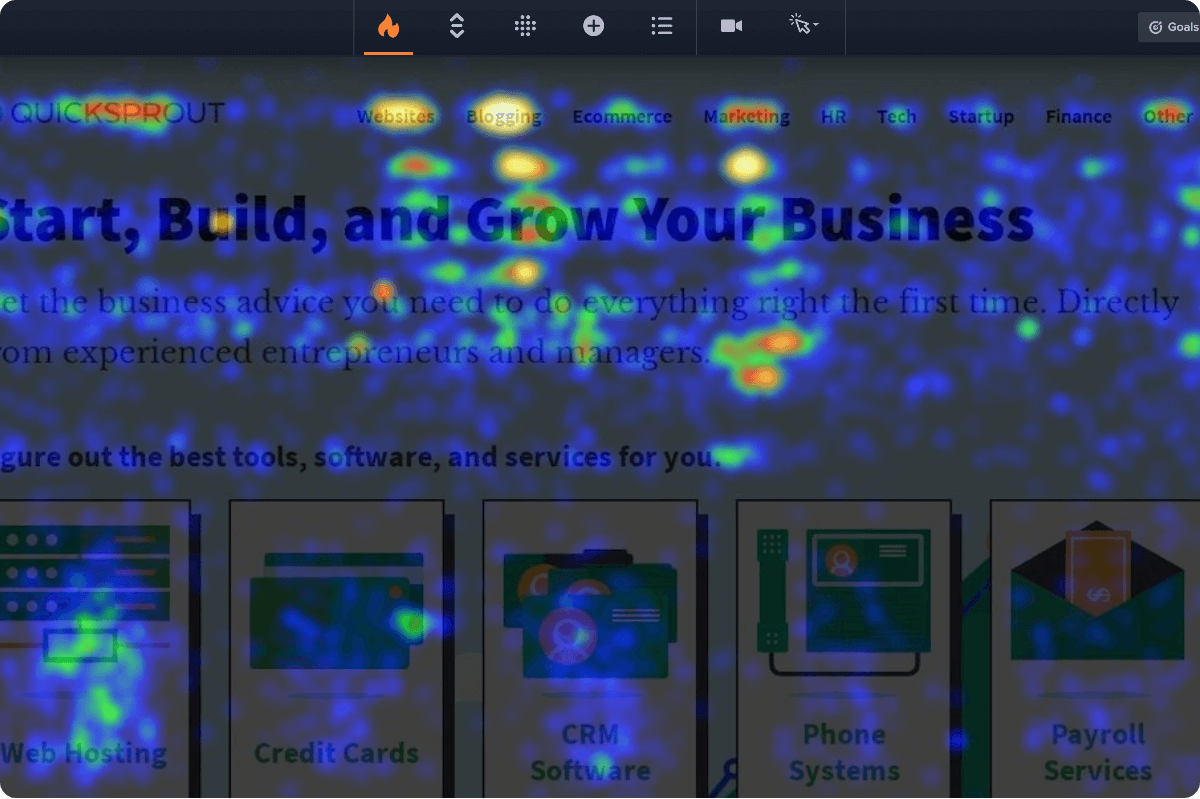
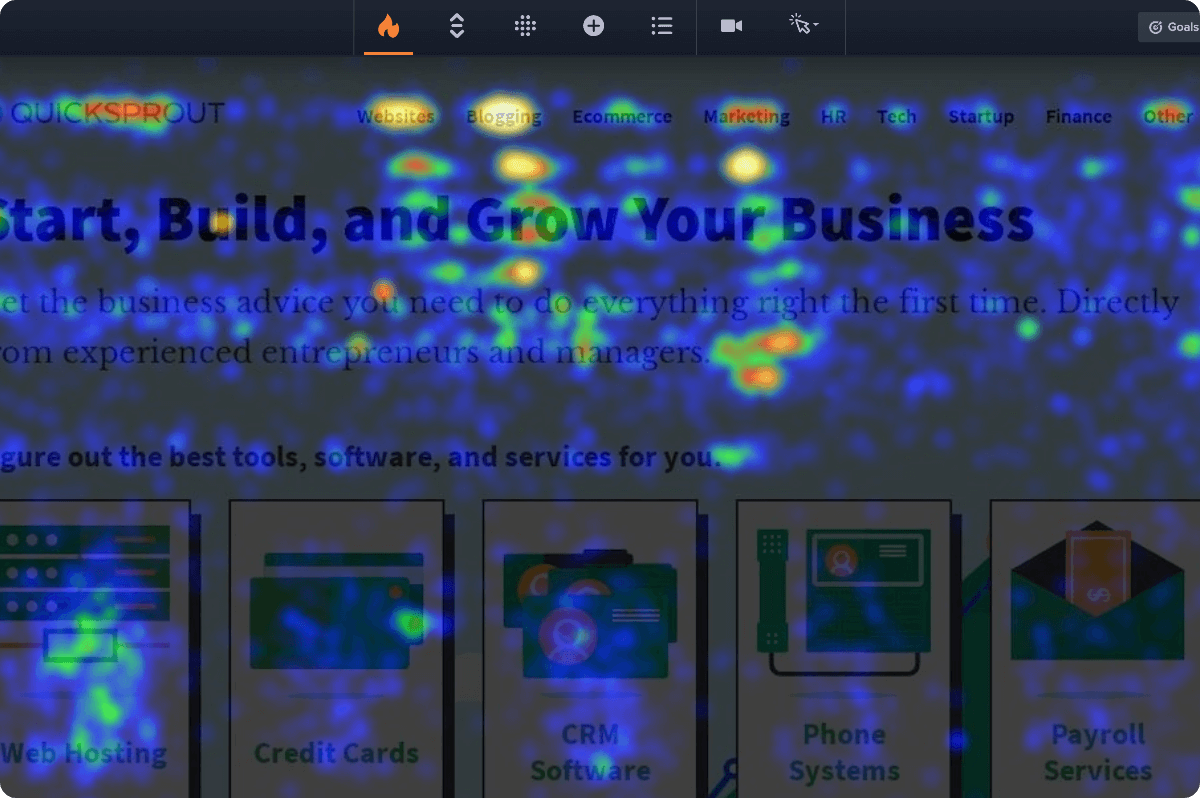
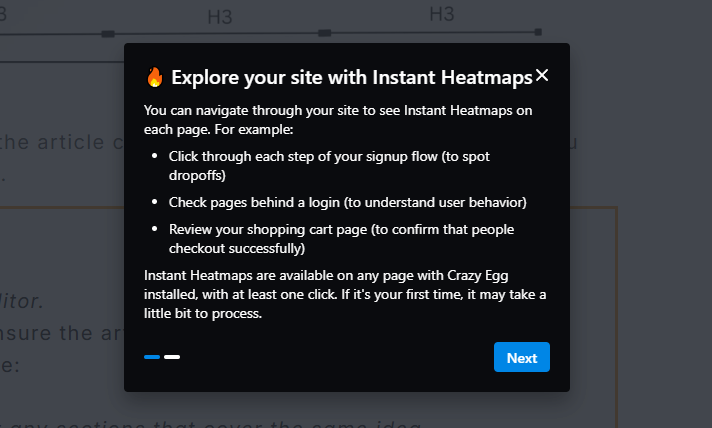
In addition to the regular heatmaps, Crazy Egg offers Instant Heatmaps. The tool generates them for each page when you install it, and you view them by browsing your website.
Mouseflow
Mouseflow has seven map types. Two — Click and Scroll — do the same job as Crazy Egg’s: visualize click density and scroll depth.
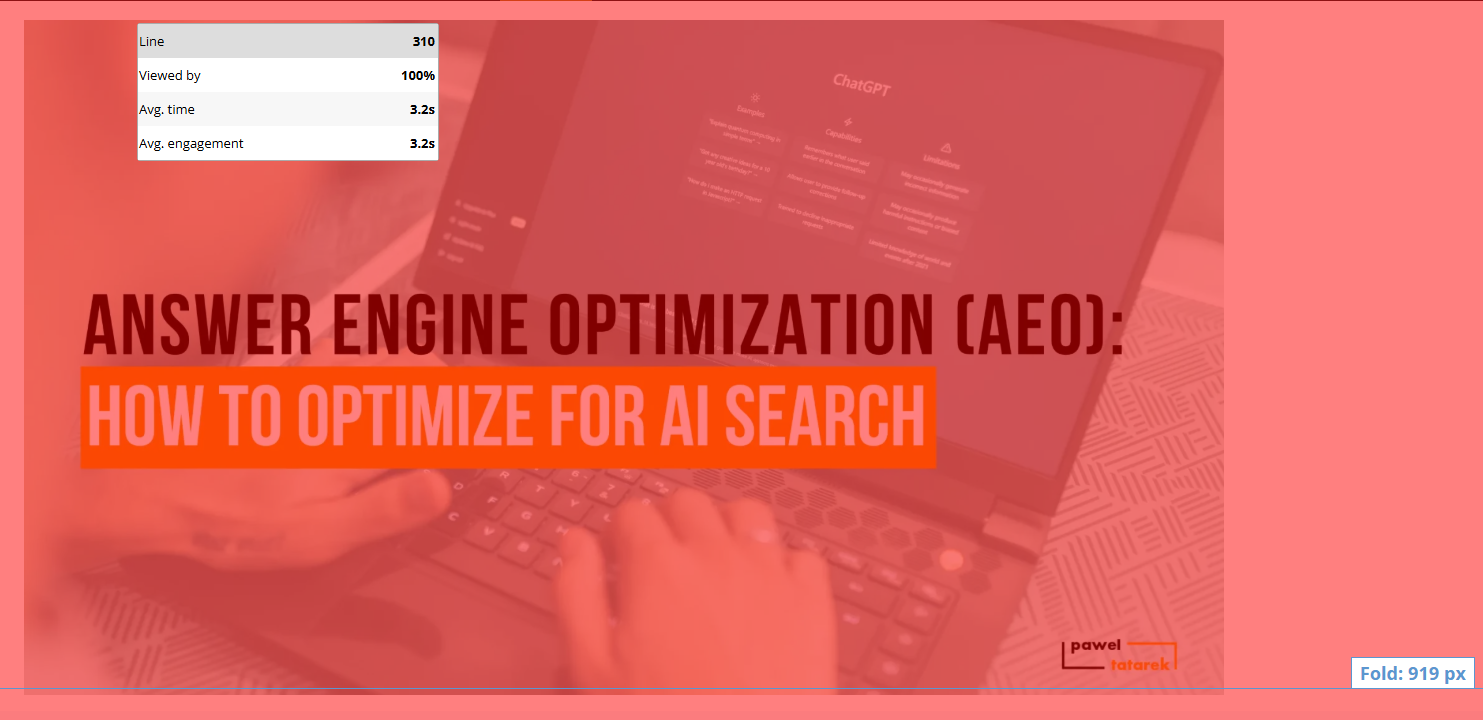
The other five are:
- Movement Maps: Visualizes cursor movement patterns across the page.
- Attention Maps: Shows which page sections held the most visitor attention, based on time spent viewing (Crazy Egg scroll maps take into account dwell time, so they give you an idea of where visitors pay attention).
- Friction Maps: Highlights where visitors hit problems (rage clicks, dead clicks, errors, and the like).
- Interactive Maps: Captures interactions with dynamic elements like dropdowns, accordions, and popups that load or expand after the page renders (Crazy Egg’s Overlay and List maps give you the same insights).
- Geo Maps: Plots anonymized visitor locations on a world map. Useful for validating campaign targeting or comparing regional drop-offs.
Just like in Crazy Egg, you can compare two heatmaps side by side, which is useful for comparing engagement patterns of two segments, say two different traffic sources or device types.
However, you can’t compare more than two segments — Mouseflow has no Confetti map equivalent.
2. Session Recordings
Both tools capture and auto-tag full session replays. Crazy Egg packs more insights, like AI analysis or an event timeline, while Mouseflow offers live viewing.
Crazy Egg
Crazy Egg’s session recordings capture everything the visitor does on the page: mouse movement, clicks, scrolls, and navigation.
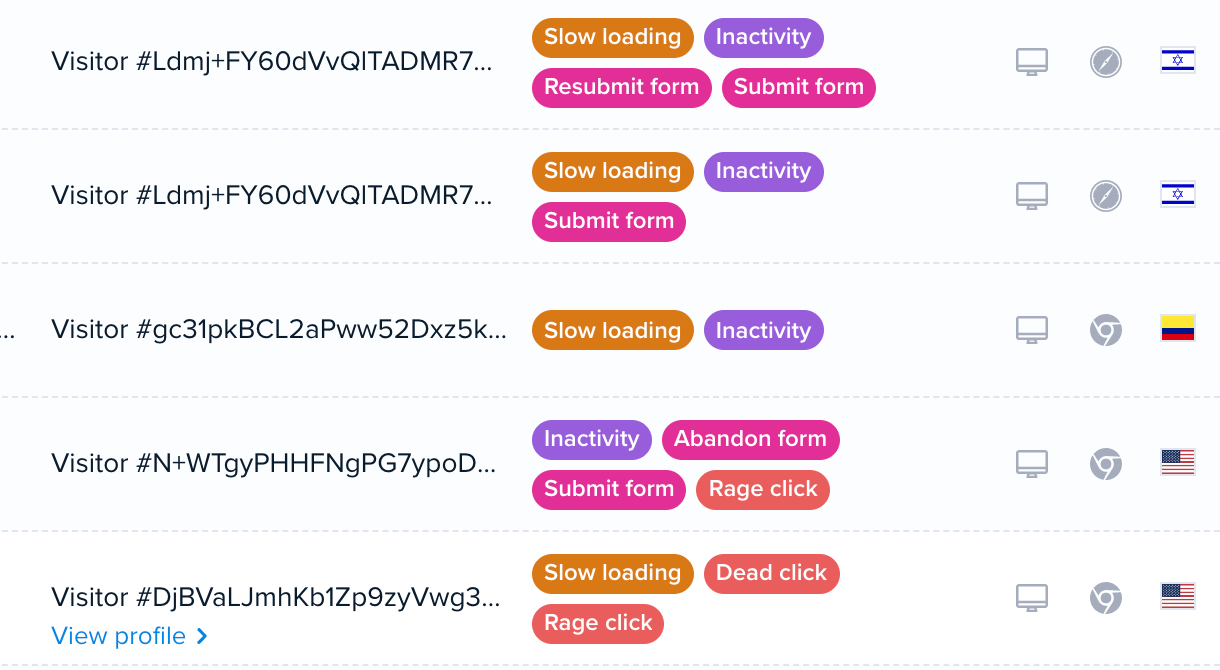
Crazy Egg automatically detects behavior patterns in the recording and tags sessions with friction signals (rage clicks, dead clicks, JS errors, slow loading, and more) and e-commerce, form, and account events (add-to-cart, checkout start, form submit, signup, etc.)
Thanks to the tags — and audience filters — you can quickly find relevant sessions.
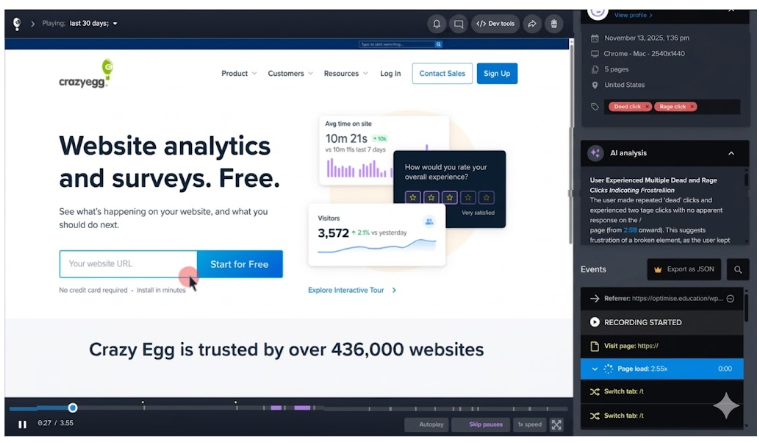
When you open a recording, you see:
- Playback and event timeline: A timestamped log of referrer, page visits, page load times, tab switches, and friction events (exportable as JSON).
- Session metadata: Date, browser, OS, screen resolution, page count, country.
- AI analysis (more about it later)
- Playback controls: Variable speed, inactivity auto-skip, autoplay queue, plus a browser dev tools toggle allowing you to inspect the recorded page as it plays.
Mouseflow
Mouseflow’s session replays work in the same way as Crazy Egg’s: they record mouse, click, scroll, form, and navigation behavior, and Mouseflow automatically tags them for easy filtering.
Like in Crazy Egg, you can speed up or slow down playback, skip forward and back, leave comments and tags, and see session metadata (date, browser, screen, geo).
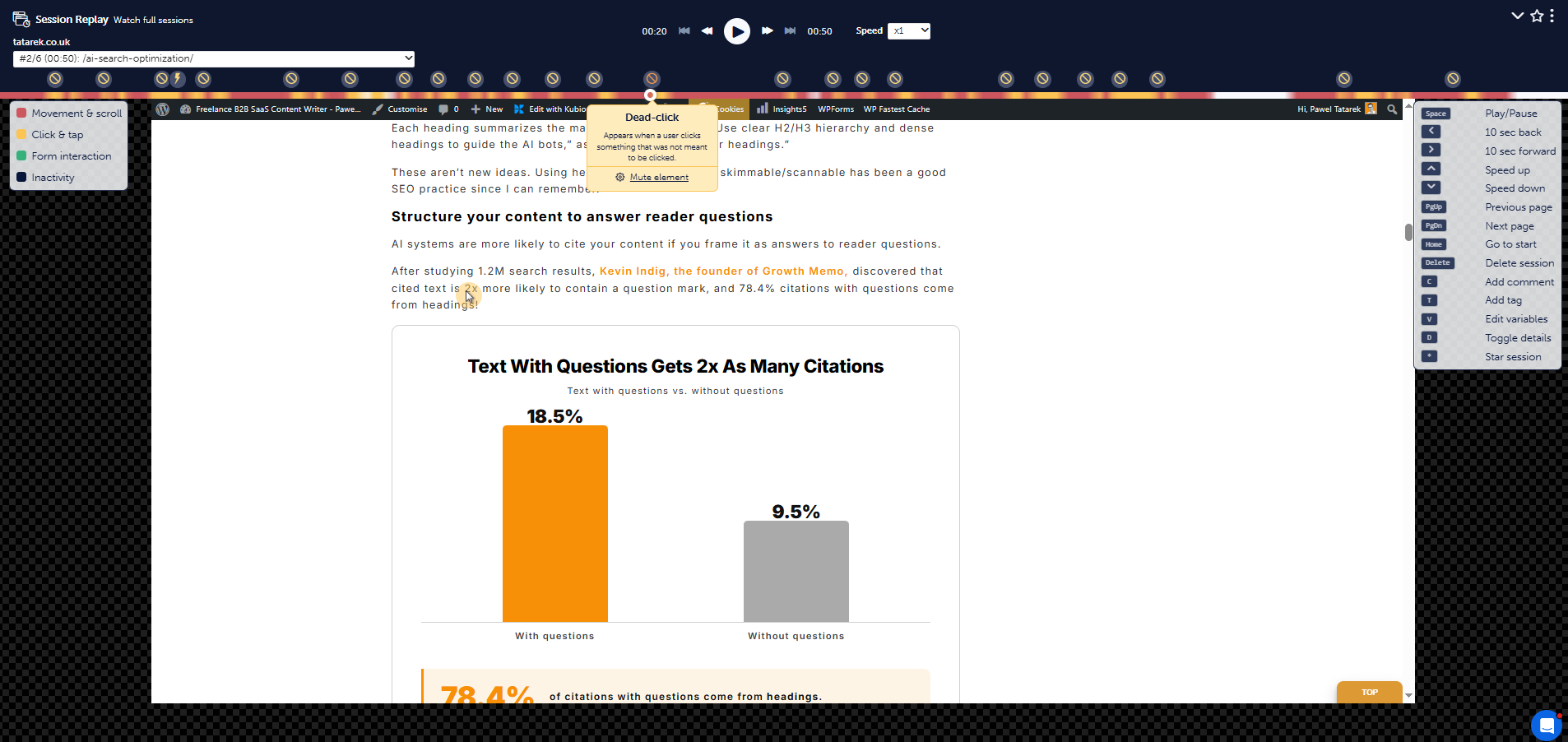
Two differences I’ve noticed:
- Activity-color overlay: Movement and scroll, clicks and taps, form interaction, and inactivity get distinct colors on the playback timeline. Not a game-changer, but makes it easier to understand what activity type dominated each stretch of the session without watching.
- Multi-page session navigation: A dropdown lists every page the visitor hit, with time per page, and you can jump straight to any of them. Crazy Egg has no such feature.
However, Mouseflow doesn’t have:
- AI-generated insight at the top of each recording.
- An exportable event timeline alongside playback.
- A dev tools toggle for inspecting the recorded page.
- A skip-pauses playback option.
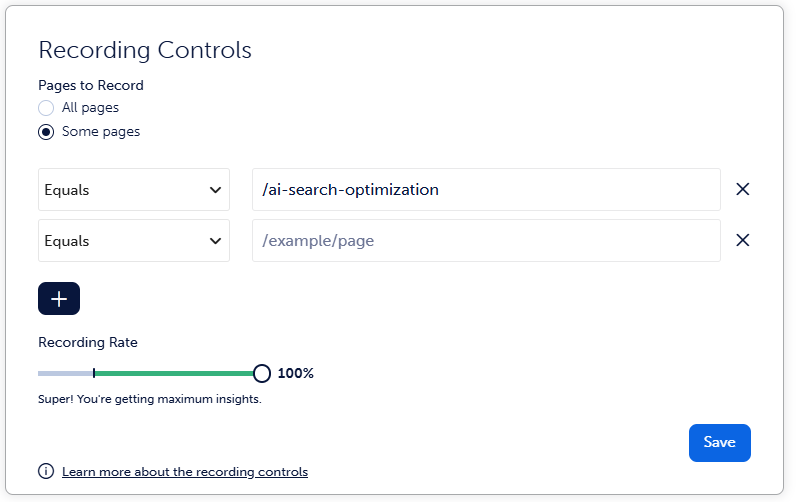
Just like Crazy Egg, Mouseflow caps session recordings within each plan. You can also manually set the sampling rate and record only specific pages.
In Crazy Egg, the settings are more granular: you can set different rates for different pages. For example, record 80% of all checkout and only 10% of blog visits.
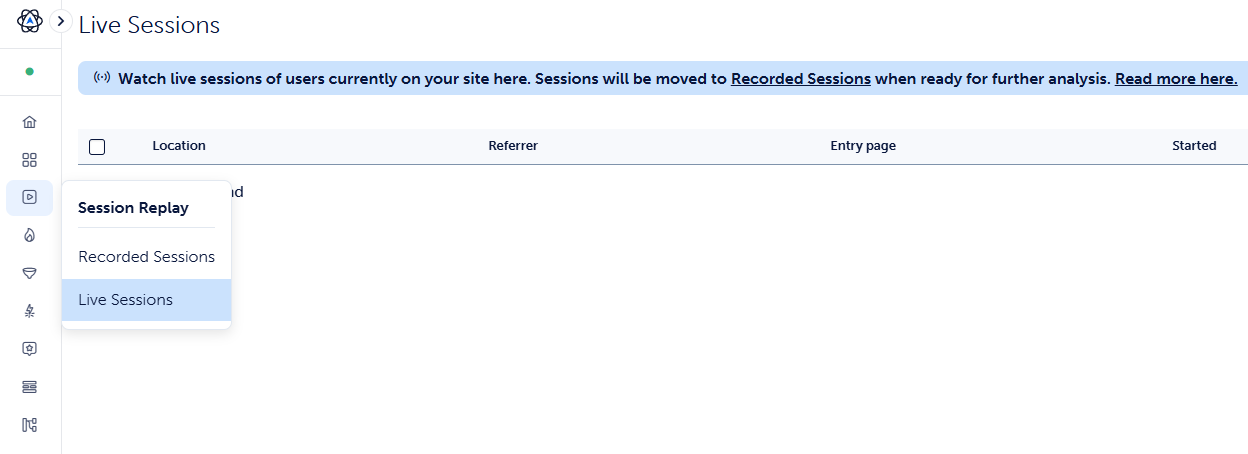
In addition to recorded sessions, you can also watch live sessions. Crazy Egg offers a live event log, but you can’t watch sessions as they happen.
3. Conversion Funnels
Both tools build retroactive funnels you can drill into for heatmaps and recordings. Crazy Egg offers unlimited funnels and more step triggers, while Mouseflow links completions to revenue.
Crazy Egg
Crazy Egg’s funnels show conversion rates at each step of a path and where visitors drop off. For each step, you get a conversion/drop-off rate and can watch heatmaps or recordings of the dropouts.
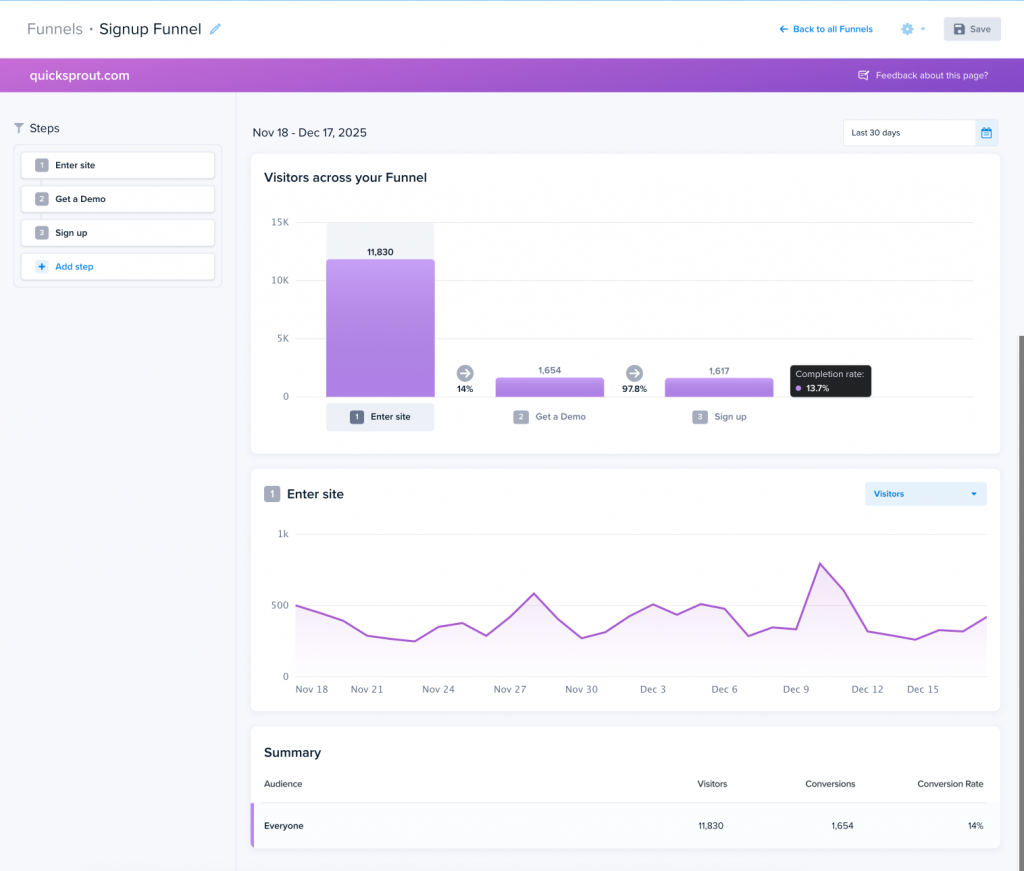
A funnel step can be triggered by:
- A button or link click
- A page reached
- A form submission
- An ad-pixel event (Google, Meta, or TikTok)
- An e-commerce platform event (Shopify, Squarespace, Magento, and others)
- A custom HTML or JavaScript trigger
Funnels update retroactively. When you add or edit a step, historical data fills in. You don’t lose any data or have to wait for new traffic.
As with the other features, you can segment any funnel by audience.
In addition to funnels, Crazy Egg has Conversion Analytics, a free feature allowing you to track your conversion goals from a dedicated dashboard.
Mouseflow
Mouseflow’s funnels work like Crazy Egg’s: multi-step retroactive funnels built from existing events, audience segmentation, and the ability to click any step to watch recordings of visitors who dropped out.
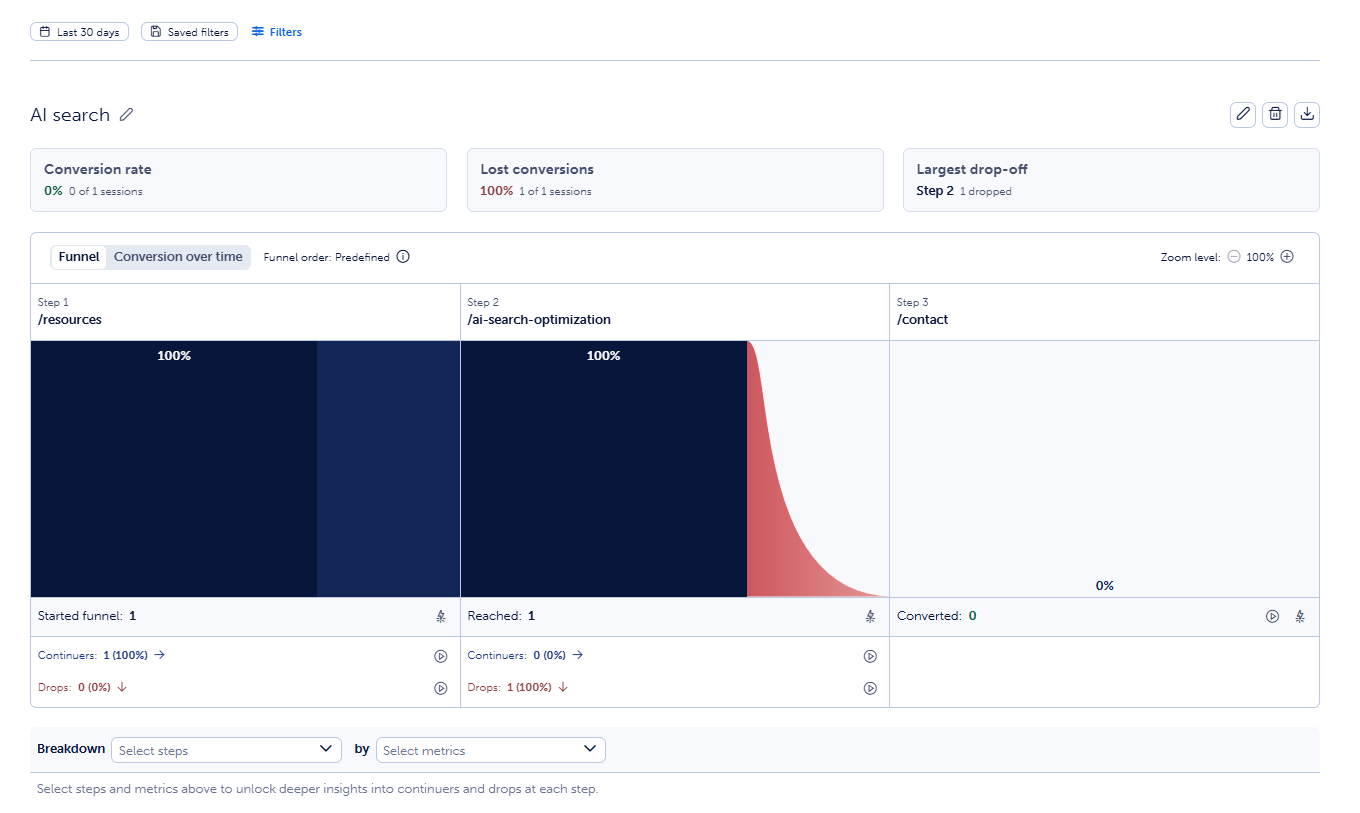
Unlike in Crazy Egg, which supports only fixed step order (visitors must hit steps in sequence, the default), Mouseflow funnels can be set to any order (visitors can complete steps in any order).
The main differentiator is the Revenue Insights, which lets you attach a monetary value to each funnel completion to see total revenue at the end. And with Advanced Revenue Insights, you can see real abandoned-cart dollars and a revenue lift from a hypothetical conversion-rate improvement.
In Crazy Egg, you can attach and track conversion value in the conversions dashboard, but not in the funnels. So the capability is there, but switching between tools makes it slightly harder to track.
Mouseflow doesn’t have pre-built step triggers. The funnel steps are URL or event-based, with no dedicated ad-pixel or e-commerce platform goal options. You can track them through custom JS events, though.
Finally, Mouseflow caps you at 1-10 funnels, depending on your plan. In Crazy Egg, funnels are unlimited across all paid plans.
4. Surveys
Both tools offer on-page surveys with behavioral triggers. Crazy Egg packs more question types and per-response recording links, while Mouseflow can A/B test surveys and trigger them on friction events.
Crazy Egg
Crazy Egg’s surveys allow you to collect qualitative and quantitative user feedback.
You get nine question types, including multiple choice (single and multi-select), short text, long text, email, star rating, numeric rating, emoji rating, and NPS. There’s also a visual builder and a library of 50+ templates, which make creating surveys a walk in the park.
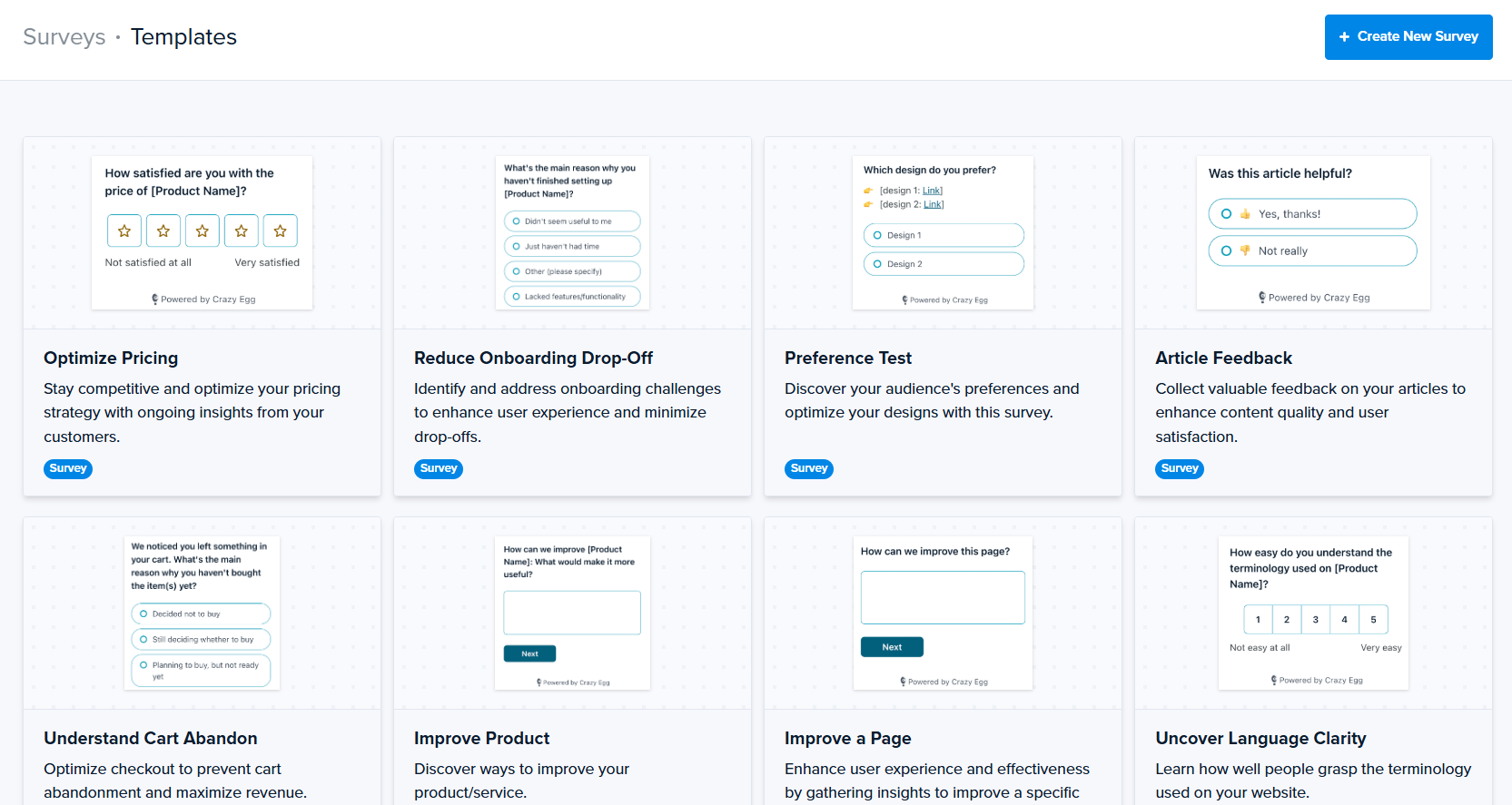
Each response links back to the session recording (and visitor’s page history) that produced it, so you can see what someone said and exactly what they did on the page.
You can trigger a survey:
- On page load
- After a configurable delay
- On scroll past the fold
- On exit intent
- After X pageviews
- On a specific button click
Crazy Egg surveys meet WCAG AAA accessibility standards, which matters for regulated and public-sector buyers.
Mouseflow
Similar to Crazy Egg, Mouseflow’s Feedback Surveys let you run on-page surveys with behavioral triggers, multiple question types, custom targeting, and branching logic, and link them to session replays.
Creating surveys in Mouseflow is easy thanks to the visual editor, but there’s no template library.
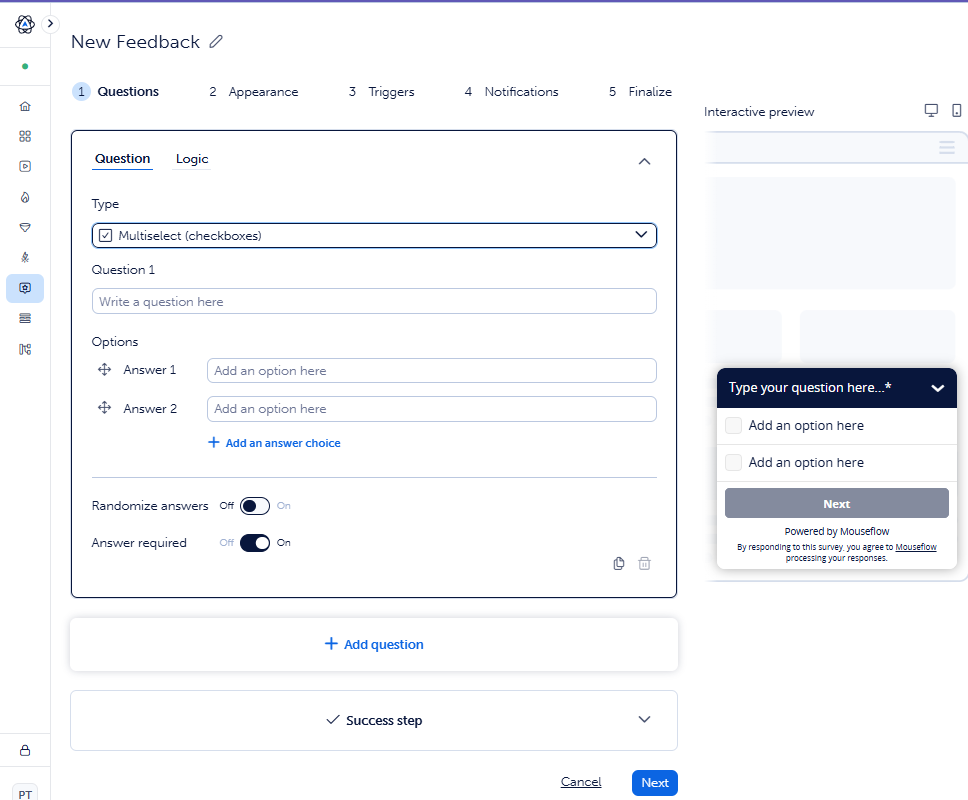
A standout feature: in addition to standard triggers like scroll, exit intent, manual, and custom code, you can fire them on click rage or click error. This lets you follow up instantly on users experiencing friction.
What’s more, Mouseflow supports survey A/B testing, allowing you to test wording, layout, or question order variants.
However, Mouseflow doesn’t have AI sentiment analysis on open-text responses, which you can find in Crazy Egg.
Finally, Mouseflow gates Feedback Surveys to its higher paid tiers, while Crazy Egg surveys are free and unlimited.
5. AI Insights
Crazy Egg embeds AI insights inside each report, while Mouseflow offers a conversational chat assistant and an MCP server for piping data to your own LLM.
Crazy Egg
Crazy Egg’s AI Analysis runs automatically across every report.
- On heatmaps: Detects patterns in click, scroll, and bounce data, and recommends page optimizations.
- On session recordings: Writes a pre-watch summary at the top of each recording and shortlists the 3–5 most insightful recordings to watch.
- On surveys: Tags open-text responses by sentiment and surfaces trends.
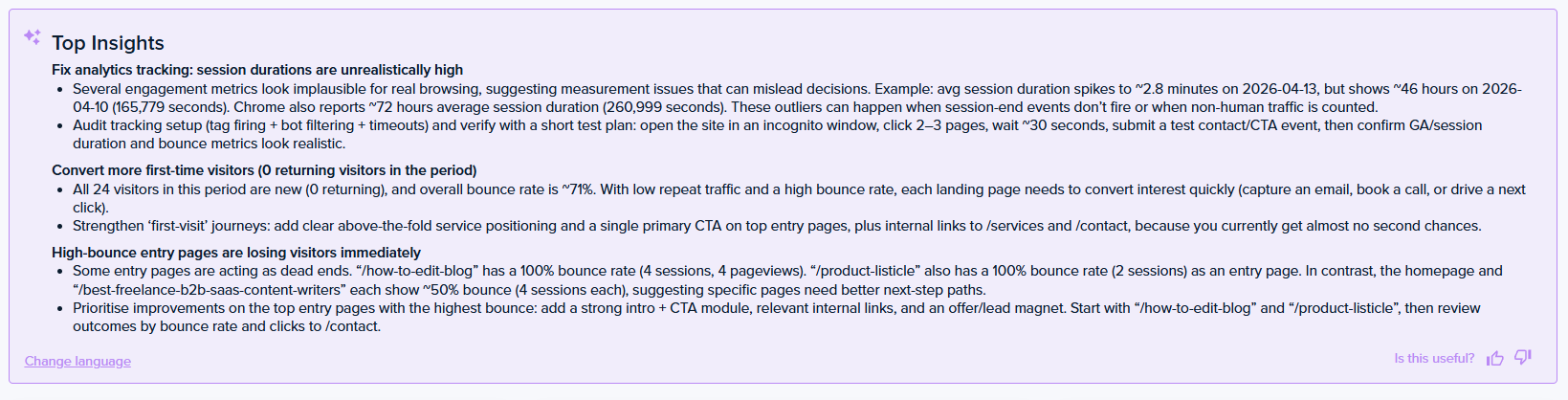
- On Web Analytics: Surfaces “Top Insights”, which are notable patterns like high-bounce landing pages, device or browser UX issues, or top marketing channels, with suggested follow-up actions.
You can also export any heatmap or recording as an AI-compatible file and analyze it in ChatGPT, Gemini, Grok, or any other LLM.
Mouseflow
Mouseflow has two AI features:
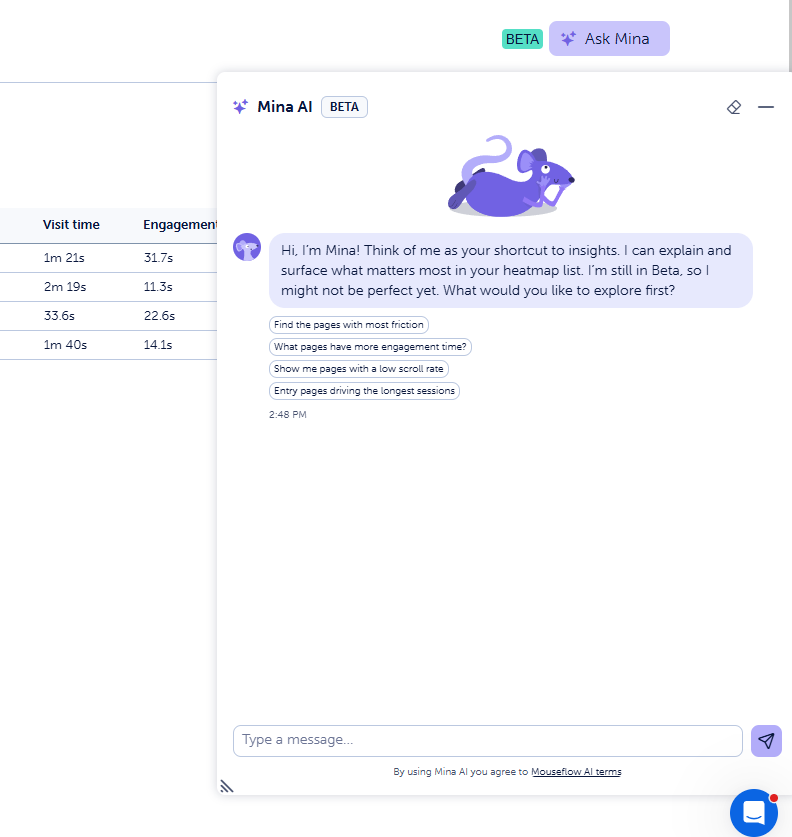
- Mina AI: A conversational assistant that helps you find relevant sessions and produces site-wide trend summaries.
- MCP server: An official Model Context Protocol (MCP) server with 27 tools, letting you pull Mouseflow data to your LLM or AI workflow.
Features Unique to Each Tool
While the tools share core user behavior analytics features, each offers unique capabilities which — depending on your needs — can tip the scales towards one of them.
Features only Crazy Egg offers
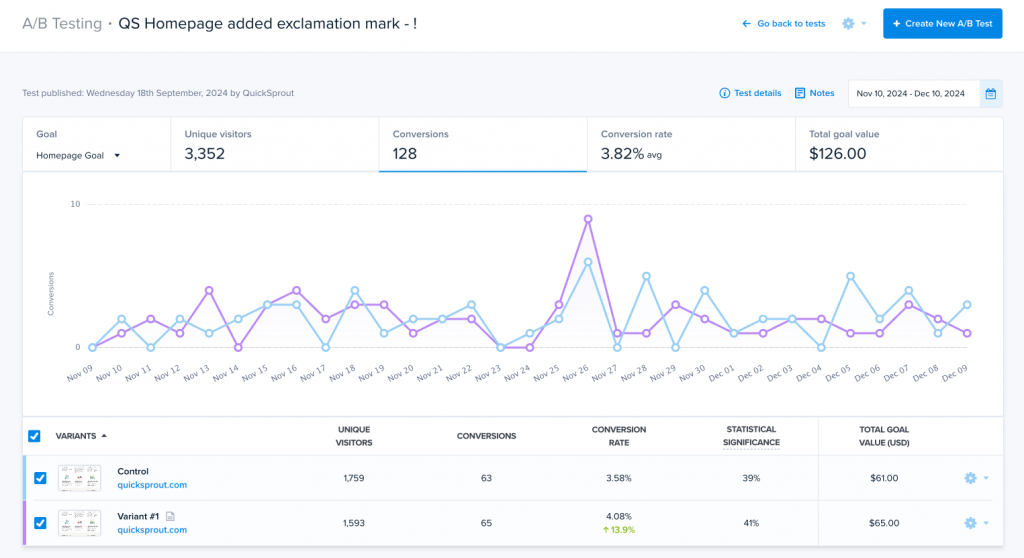
- Native A/B testing for web pages. You can run regular A/B and multi-armed bandit tests, and analyze the variants’ performance in GA4, heatmaps, and session recording. Mouseflow only has survey A/B testing, so you need AB Tasty, Optimizely, or VWO in your stack to replicate the capability.
- JavaScript error tracking. A dedicated error report auto-detects front-end errors with a full stack trace, device, browser, and app version context, and triage workflow. Mouseflow surfaces JavaScript errors and 404s as friction events, but has no dedicated stack-trace report or resolution workflow.
- Web Analytics and GA4 Connector. Crazy Egg includes a free traffic analytics dashboard with eight core metrics and a real-time Live Activity feed. The GA4 Connector pulls existing Google Analytics traffic into Crazy Egg and pushes per-variant A/B test events back to GA4. Mouseflow has no web analytics layer.
- Popup CTAs. Buttons, popups, and bars with smart triggers based on visitor behavior, page targeting, or device type.
Features only Mouseflow offers
- Friction Score. A quantitative score built from Click Rage, Click Error, Bounce, Speed Browsing, 404, Dead Clicks, and Custom-Friction events, scored per session, page, and site (the latter benchmarked against your industry’s average).
- Friction Insights. A dedicated dashboard with Friction Map, a Broken Links & 404s widget, and a Page Performance widget. Crazy Egg surfaces the same underlying signals as filterable recording tags and a separate Error report, but offers no aggregate score, dashboard, or benchmarking.
- Form analytics. Field-level analysis with time per field, refill rates, blank-submit rates, drop-off rates, and field-interaction patterns. Crazy Egg tracks form submissions but has no granular analytics.
- Journey Analytics. Path mapping of where users move before and after a focus step, with one-click filtered replays of any drop-off.
Pricing Breakdown: Which Has the Best Value?
Crazy Egg is the better value for web-focused conversion rate optimization (CRO) teams who need user behavior analytics and native A/B testing. Unlimited domains and team seats make it a better fit for agencies.
Mouseflow’s $25 Essential plan is marginally cheaper than Crazy Egg’s $29 Starter if all you need is session replays, heatmaps, and friction insights.
The numbers tighten quickly, though. Site caps mean teams running multiple properties have to upgrade just to add sites. And there’s no native page testing at any tier, so you’re adding a separate A/B testing tool to the stack.
The billing models are structurally different. Crazy Egg counts only pageviews actively monitored in Heatmap Reports or A/B tests. Pages you’re not analyzing don’t cost anything, and there are no overage charges. Mouseflow counts sessions (one visit, up to 100 pageviews).
Final Verdict: Is Crazy Egg or Mouseflow Right for You?
Choose Mouseflow if you already run an A/B testing tool and want deeper friction diagnostics: a quantitative Friction Score with industry benchmarking, the Friction Insights dashboard, native form analytics, journey mapping, and live session viewing.
Choose Crazy Egg if you want heatmaps, recordings, surveys, error tracking, web analytics, and native page A/B testing in one subscription, so you can spot a problem and test the fix in the same place, run multiple sites, or want longer recording retention, and unlimited domains and seats.
If that second one sounds like you, start your 30-day Crazy Egg trial (no card needed.)
